Dev Update: Train on your own Infrastructure

Hello and welcome to the April dev update!
This months dev update focuses on enterprise features such as self-hosted training and organization management.
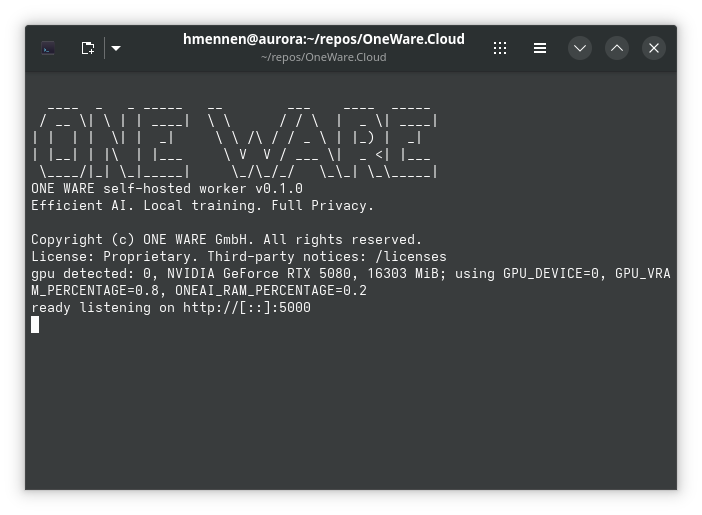
You can now train ONE AI models on your own infrastructure while keeping your datasets completely private!
Train on your own Infrastructure
With the new self-hosted worker, you can run ONE AI training jobs directly on your own machine or server. Your datasets never leave your infrastructure, giving you full control over your data privacy.
The self-hosted worker is a Docker container that handles everything locally: training, testing, visualization, and model export. When a training job starts, the worker analyzes your project and sends a lightweight metadata summary to ONE WARE Cloud — no images, no raw data. The ONE AI algorithm then predicts the best possible model architecture for your task and sends it back to the worker, where the actual training runs entirely on your hardware. Only job status and logs are exchanged from that point on, so you can still monitor everything from the dashboard.
For more details and setup instructions, check out the full documentation.
If you'd like to try self-hosted training, reach out to us at support@one-ware.com or book a demo and we'll get you set up.
Organization Management
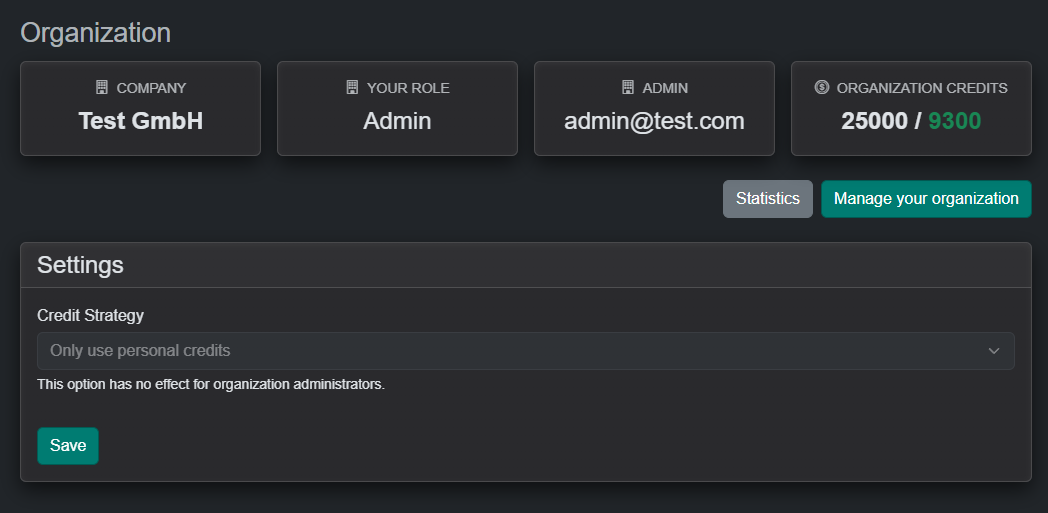
The OneWare Cloud now includes organization management, introducing a centralized approach to handling credit transactions across members.
Each organization is managed by an owner who can invite members and access insights into credit usage. Credits are maintained at the organization level, providing a single, consistent pool available to all members.
New Prefilter: Standardization
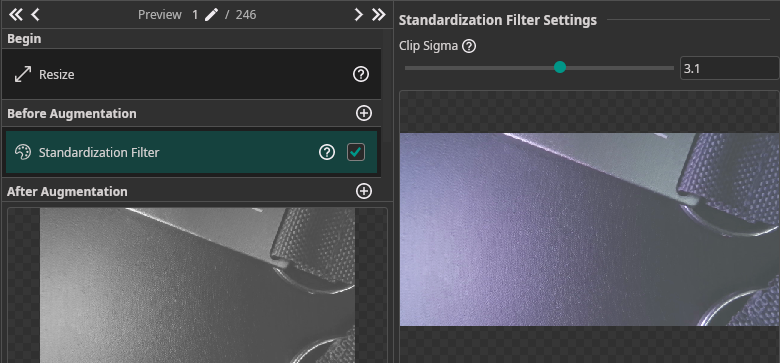
The new Standardization Filter performs per-image standardization (equivalent to tf.image.per_image_standardization). It normalizes pixel values by subtracting the mean and dividing by the adjusted standard deviation, then clips and remaps to [0, 1].
This is particularly useful for datasets with inconsistent lighting or exposure — it brings every image to a comparable intensity distribution before training.
| Parameter | Description |
|---|---|
| Clip Sigma | Clipping range in standard deviations. Lower values (e.g. 1.5) increase contrast but clip more outliers. Higher values (e.g. 3.0) preserve more dynamic range. Default: 2.0. |
New Augmentation: Image Composition
The new Image Composition augmentation generates synthetic training images by randomly placing object cutouts onto background images. This is especially useful when you have limited training data — it can massively increase your effective dataset size without any additional data collection.
How it works:
- Mark certain labels as background images
- Configure scale, probability, and overlap settings per label
- During training, ONE AI automatically composes new images by placing random object cutouts onto random backgrounds
| Parameter | Description |
|---|---|
| Min/Max Rotation | Rotation range for placed objects (default: −10° to 10°) |
| Allow Overlap | Whether placed objects may overlap each other |
| Max Overlap % | Maximum allowed overlap between objects (0–1) |
| Min/Max Objects per Image | How many objects to place per generated image (default: 5–20) |
Per-label settings let you control scale, probability, and whether a label is used as an object or as a background.
Dataset Export
You can now export your ONE AI datasets to standard formats for use in external tools or custom training pipelines.
Supported export formats depend on your annotation mode:
| Annotation Mode | Available Formats |
|---|---|
| Object Detection | ONE AI, YOLO, COCO |
| Classification | ONE AI, Folder-based |
| Instance Segmentation | ONE AI, COCO, PNG Mask Semantic |
The export dialog lets you select which subsets (Training, Validation, Test) to include and optionally creates a ZIP archive. A progress indicator shows the number of images processed during export.