What is ONE WARE?
ONE WARE is an ecosystem of tools for creating and deploying efficient Vision AI and Edge AI solutions — from dataset to production, without requiring deep machine learning expertise.
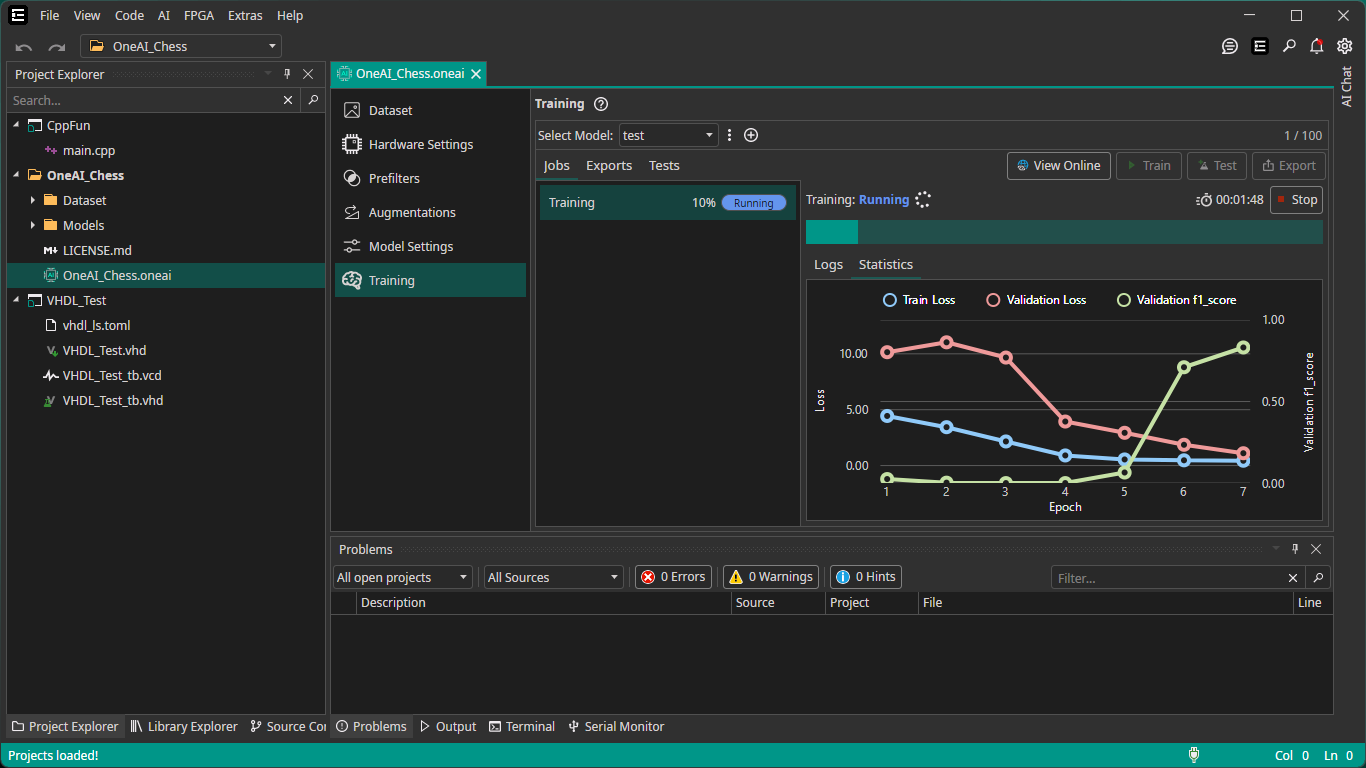
The ONE WARE Ecosystem
ONE WARE Studio
A cross-platform desktop application (Windows, macOS, Linux) that serves as the central hub for all ONE WARE products. It is open-source and extensible through a plugin system.
- FPGA and embedded systems development environment
- Extensible plugin architecture for custom tools and hardware support
- Plugin marketplace for hardware integrations and extensions
- Install ONE WARE Studio →
ONE AI
A proprietary algorithm that automatically creates optimized Vision AI models for your specific hardware and use case. No manual neural network design required.
- Supports classification, object detection, and segmentation tasks
- Optimizes models for CPU, GPU, TPU, and FPGA targets
- Exports to TensorFlow, TF Lite, ONNX, and VHDL formats
- Get started with ONE AI →
ONE AI Extension
An extension for ONE WARE Studio that provides a visual interface for the entire AI model creation workflow:
- Load and label your dataset
- Configure hardware targets and model settings
- Train your model (locally or in the cloud)
- Export and deploy to your target hardware
ONE WARE Cloud
The cloud service that powers ONE AI training and manages online projects:
- Run ONE AI training jobs in the cloud
- Manage projects and datasets online
- REST API for automation and integration
- Option to self-host for private data
- Cloud API Documentation →
How It All Fits Together
ONE WARE Studio is the central desktop application. The ONE AI Extension adds a powerful Vision AI module on top of it — for labeling datasets, configuring training, and exporting models. For training, you have two options:
Option A — Train in the Cloud
Option B — Self-Hosted Training
Run training on your own hardware while keeping your datasets private. Learn more about Self-Hosted Training →
Next Steps
- New to ONE WARE? Start with the Setup Software guide
- Want to see it in action? Browse our Demo Projects
- Already set up? Jump to the ONE AI documentation or explore ONE WARE Studio