Edge AI on Imago Vision Cam XM2 — Safety Vest Detection
ONE AI generates ONNX models that can be deployed directly onto smart cameras with integrated edge hardware. This benchmark runs a people-with-safety-vest detection model on the Imago Vision Cam XM2, powered by an integrated NVIDIA Jetson Orin module.
The Task
Detect people wearing safety vests in real time — directly on the camera, without any external compute.
The model must reliably distinguish workers with and without high-visibility vests under varying lighting conditions and distances, running entirely on the embedded hardware of the smart camera.
The Dataset
The model was trained on the Safety Vests Detection Dataset — a curated collection of 3,897 real-world images originally sourced from the Roboflow Universe "Safety Vests" project and published under CC BY 4.0.
Each image is annotated with per-person bounding boxes across two classes:
Safety Vest— worker is wearing a high-visibility vestNo Safety Vest— worker is not wearing a vest
The dataset covers indoor work sites, outdoor construction zones, varying lighting conditions, occlusions, and multiple viewpoints — resulting in ~4,200 annotated bounding boxes split 80/10/10 across training, validation, and test sets. This diversity makes it well-suited for training models that must generalize to real production environments.
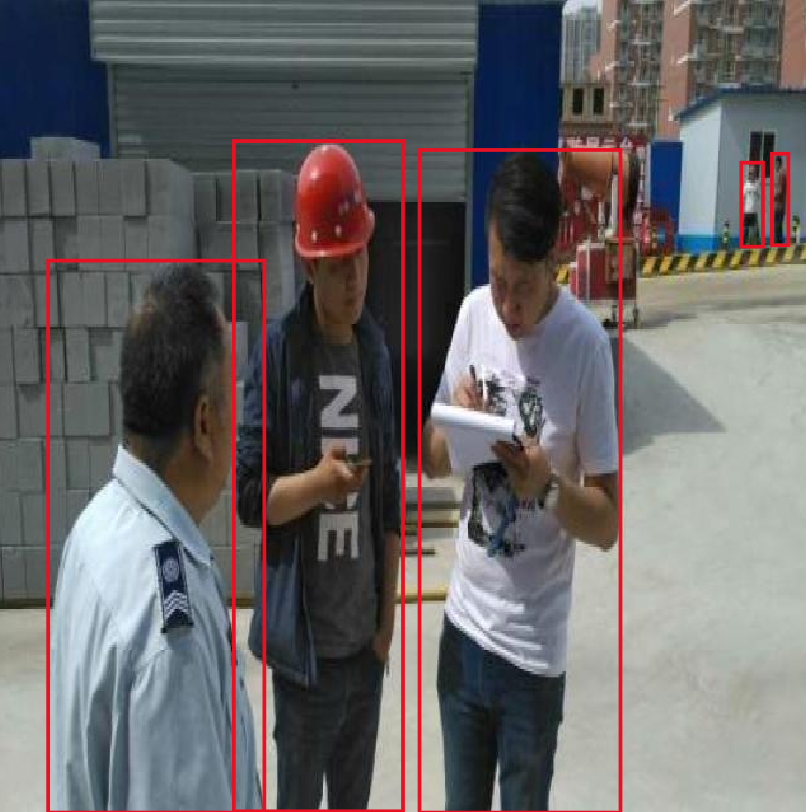
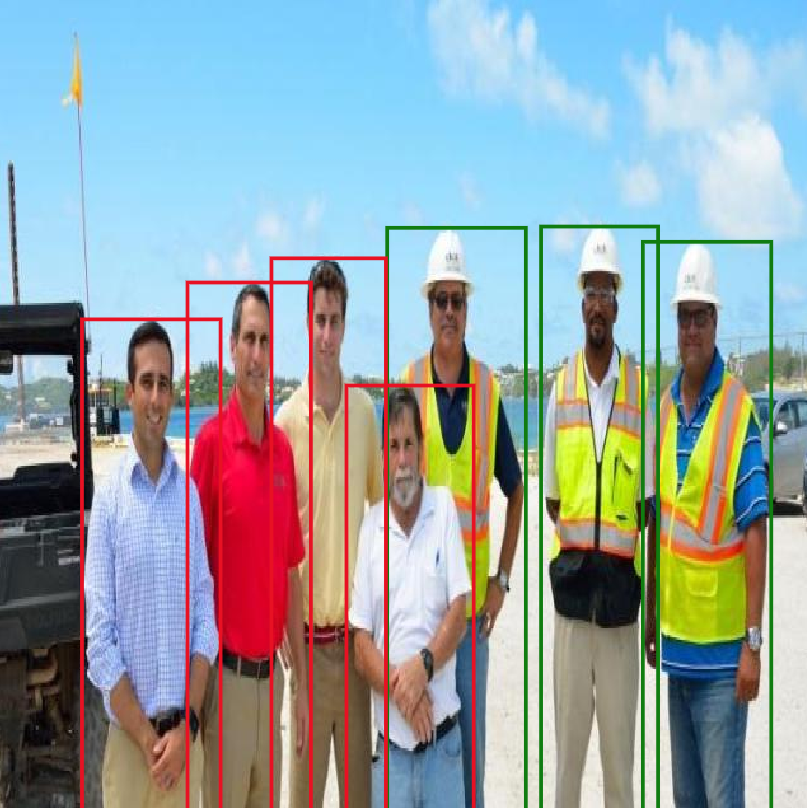
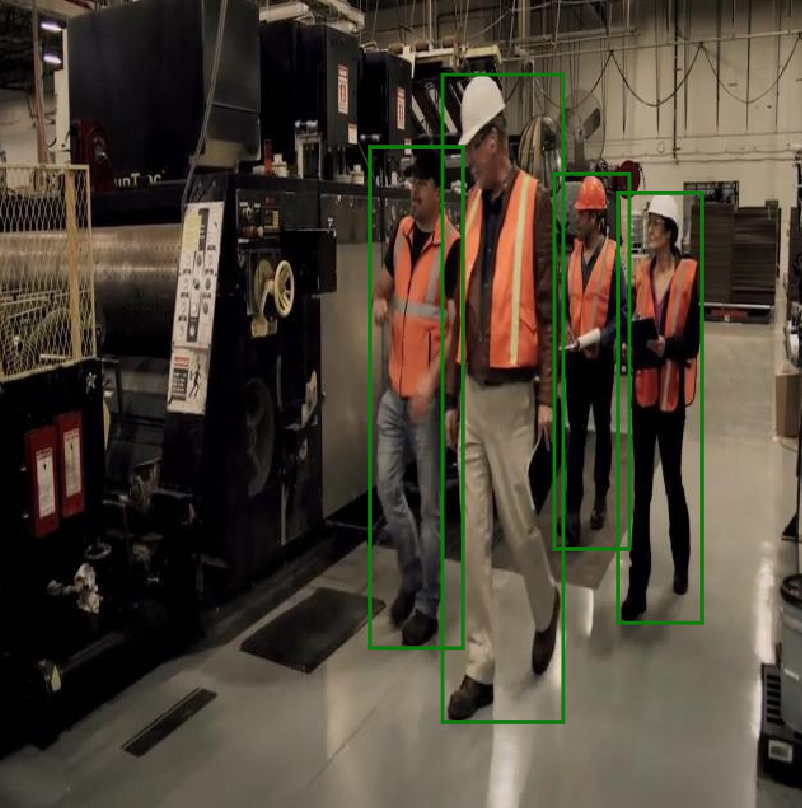
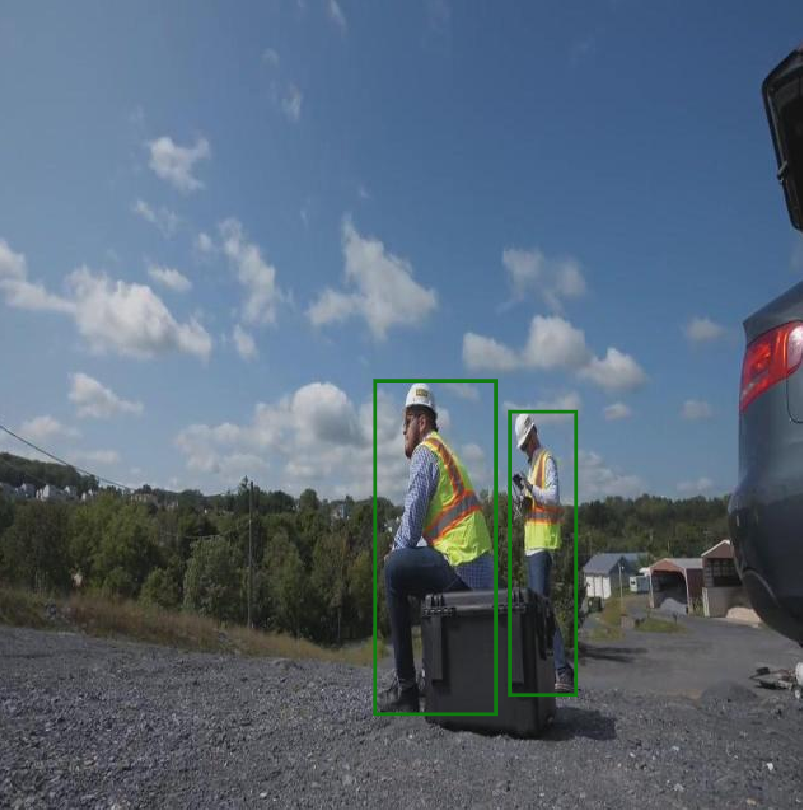
Sample detections from the training dataset. Green boxes indicate workers wearing a safety vest; red boxes indicate workers without one.
The Hardware
Imago Vision Cam XM2
The Vision Cam XM2 is an industrial computer vision camera with integrated Edge AI capabilities. It combines image acquisition and AI inference in a single compact device:
- Integrated NVIDIA Jetson Orin module — processes image data directly on the camera; no external PC or GPU required
- ONNX runtime support — load and run any ONNX model via the built-in ViewIT framework
- Software framework ViewIT — Imago's software platform for camera control and image processing algorithm management
The camera only needs an ONNX model file and a run-process script to execute AI inference locally — making it a true standalone edge AI device.
Results
Model Quality (evaluated on test set)
| Metric | Value |
|---|---|
| mAP@0.5 | 75.46 % |
| Precision | 81.51 % |
| Recall | 80.97 % |
| F1 Score | 81.24 % |
Selected Model
| Property | Value |
|---|---|
| RAM Usage | 72,326.2 KB |
| Parameters | 4,270,585 |
| Operations | 3,436.4 million |
Runtime Performance
Inference runs entirely on the CPU of the integrated Jetson Orin module.
| Metric | Vision Cam XM2 (Edge/CPU) | ONE WARE Studio (Live Preview) |
|---|---|---|
| Inference Latency | 135 ms | 44 ms |
| Inference FPS | 7 | 22.7 |
Inference FPS and latency are derived from the ONNX inference time reported by ONE WARE Studio (ms avg). Camera inference measured with CPU execution on the Jetson Orin.
Room to grow: For applications that need higher frame rates, converting the model to TensorRT is expected to significantly increase throughput on the same hardware.
Why It Works
Compact ONNX Models
ONE AI generates architectures with the minimum number of parameters needed for the task. The selected model uses just 4,270,585 parameters and requires only ~70 MB of RAM (72,326.2 KB) at 3,436.4 million operations — one of OneAI's larger models but still small enough to run efficiently on embedded Jetson hardware without sacrificing accuracy.
Direct On-Camera Inference
Because the Jetson Orin module is built directly into the Vision Cam XM2, there is no latency overhead from transmitting images to an external system. The entire inference pipeline — capture, preprocess, infer, output — runs within the camera. Running on the CPU alone is sufficient: at 7 FPS and 135 ms latency, the camera delivers a continuous stream of detections well within the reaction time needed for real-world safety monitoring.
No Custom Integration Code
The ViewIT ONNX plugin handles model loading and execution. ONE AI exports a standard .onnx file; no custom runtime code or platform-specific adaptation is needed, only a run script to define inputs and outputs.
Deployment
Deploying a ONE AI model onto the Vision Cam XM2 requires only a few steps inside the ViewIT software framework. A full getting-started guide is available in the Imago API documentation. Additional documentation and tutorials can also be found directly in the Help section of the ViewIT interface.
1. Export the ONNX model from ONE AI
Train and export your model in ONE AI. The result is a standard .onnx file.
2. Copy the model to the camera
Place the ONNX model file in the designated models directory on the camera
3. Configure the inference procedure in ViewIT
In the ViewIT interface, set the custom model run script in configuration and choose the exported onnx model.
4. Run
Start the procedure. The camera will load the model and begin processing images frame by frame — entirely on-device.
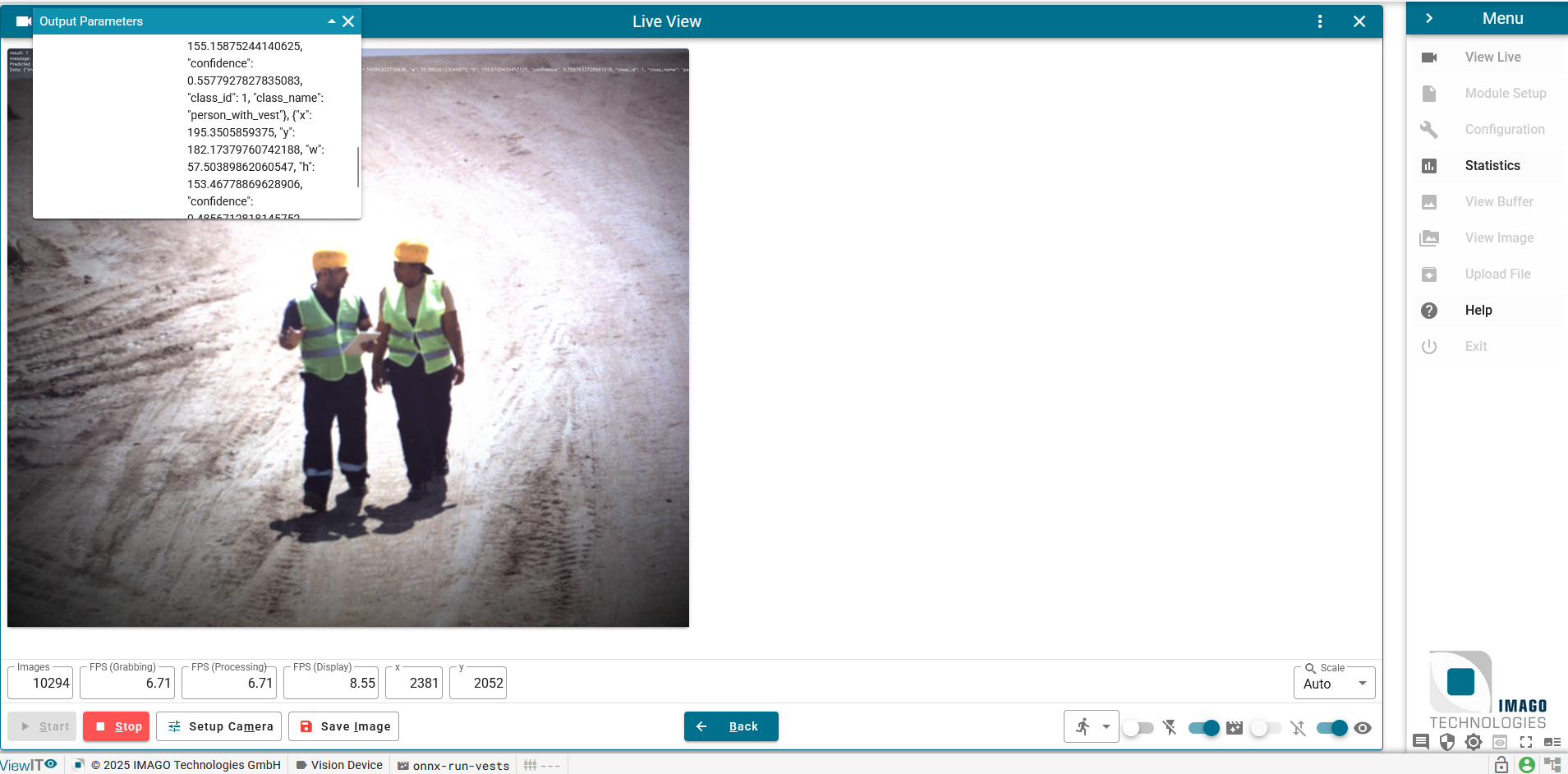
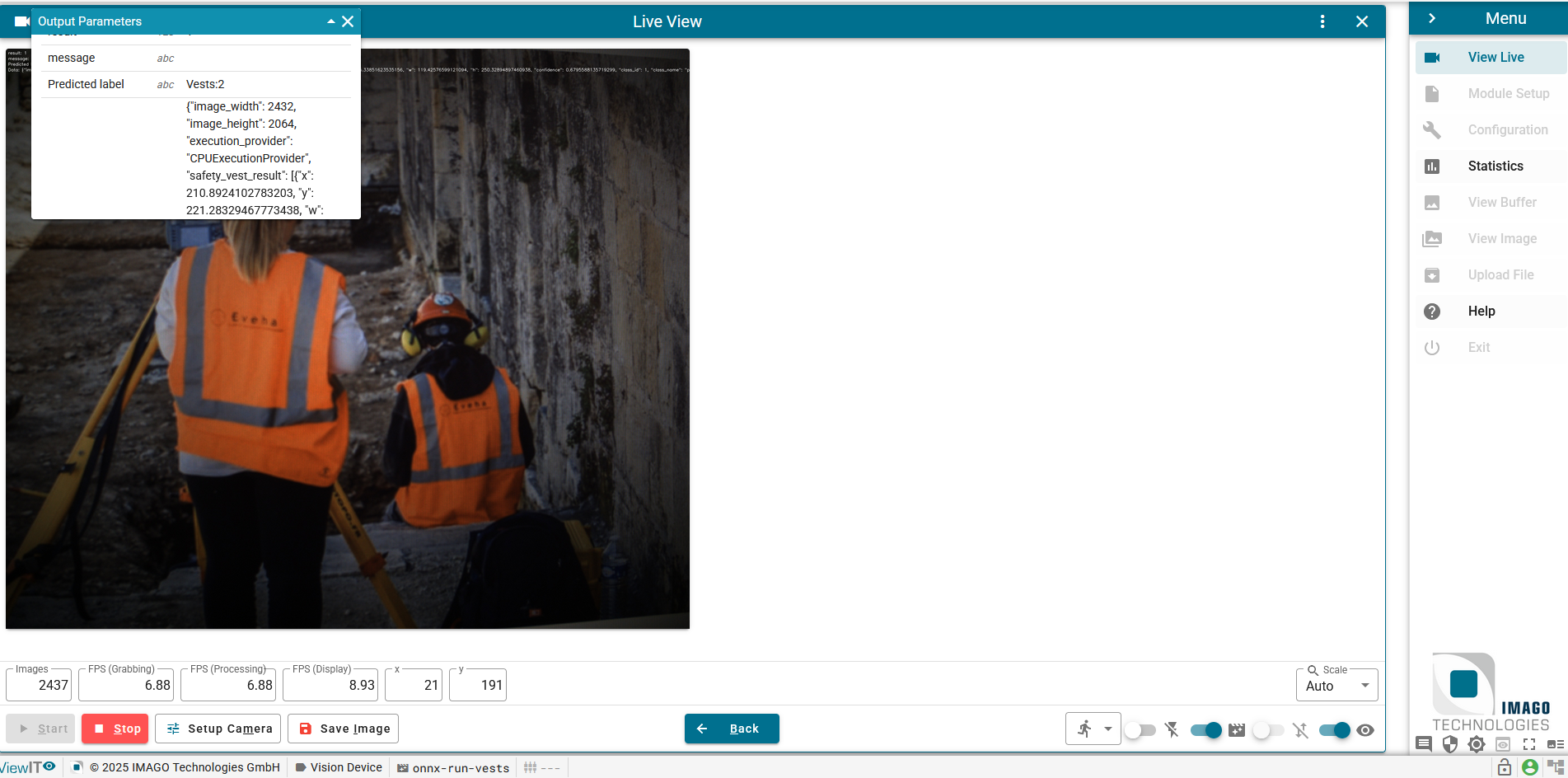
The ViewIT Live View interface showing the ONE AI safety vest detection model running directly on the Vision Cam XM2. Output parameters including predicted labels and bounding box coordinates are displayed in real time.
Takeaway
The Imago Vision Cam XM2 with integrated Jetson Orin proves that production-ready edge AI does not require complex GPU setups. A ONE AI model — just ~70 MB and 4.27 million parameters — runs directly on the camera's CPU, delivering continuous safety-vest detections at 7 FPS with no external compute, no custom integration code, and no cloud dependency. That is a new detection every 135 ms: well within the reaction window for real-world safety monitoring, and achievable with a single ONNX export.
From model training in ONE AI to live inference on the camera: a single ONNX file is all it takes.

Need Help? We're Here for You!
Christopher from our development team is ready to help with any questions about ONE AI usage, troubleshooting, or optimization. Don't hesitate to reach out!