Dev Update: Get Started with One AI in Minutes!

Hello and welcome to the first dev update of this year!
Getting started with OneAI can be intimidating. We’ve heard from many of you that you want to see results faster, with less setup overhead.
That’s why we’re excited to start 2026 with a big usability improvement: With our new Quick-Start feature, you can go from zero to a running Vision AI project in just a few minutes.
Using the new Quick-Start feature, you can get started with One AI in just three steps!
- Create a OneWare Account
- Follow the Instructions to install OneWare Studio
- Choose a quick-start project and Click on Open in OneWare Studio
After that you should have OneWare Studio, the One AI Extension and everything ready to get started! Explore the project, try out some settings and start creating your own models.
Create Projects quicker with Light Mode
Since many of the One AI Settings can make getting started difficult, we decided to implement a light mode. This will be the default for new projects, but it's also possible to switch back to Expert Mode anytime from the menu at AI -> Capability Mode
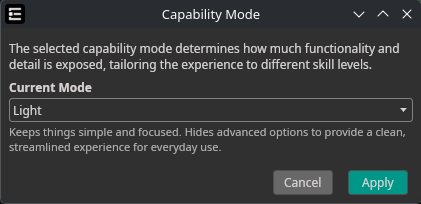
This new mode replaces many of the complicated settings for fewer, carefully selected and easy to understand options.
Monthly Credits
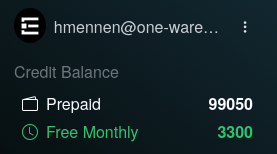
As you may have noticed already, everyone now has 5000 Free Monthly Credits. These expire at the end of each month, so we recommend to use them wisely 😉
Support for Linux-Arm
We just released OneWare Studio and our One AI Extension for the Linux ARM64 platform on both Flatpak as well as Snap.

To celebrate this, I used my lunch break to create a quick Raspberry Detection on my Raspberry Pi.
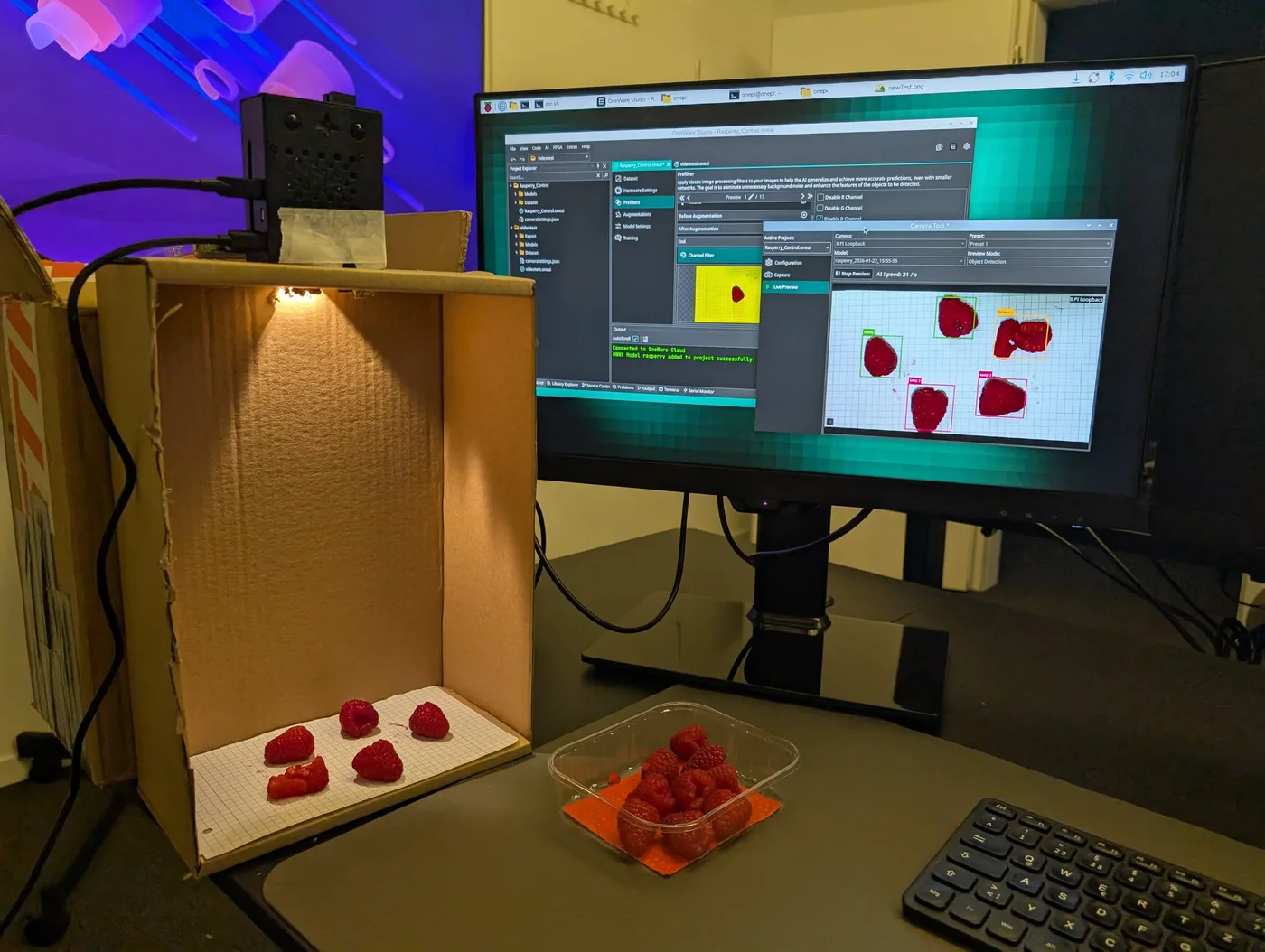 This demo was trained using just 14 captures from the Raspberry Pi camera, captured directly in OneWare Studio using the camera tool.
Sometimes you don't need a fancy and expensive setup, a simple cardboard box can be enough to create a nice camera booth. 📹
Since OneWare Studio now runs on Linux Arm, you can simply get it from Flatpak and run it on your Rasperry Pi.
 Even when using a loopback camera, the Raspberry Pi is powerful enough to run this demo at up to 60FPS just using the CPU (or maybe One AI models are just very fast 🔥).
Improved Annotation Tool
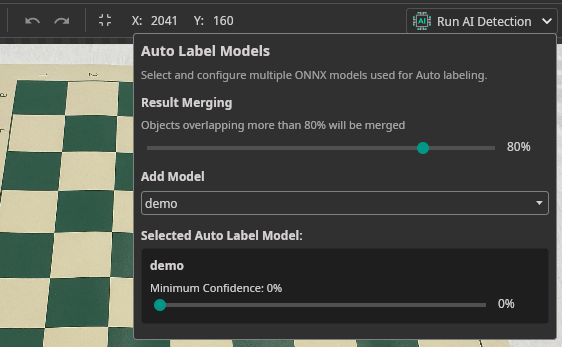
We improved the Annotation Tool again and fixed several usability issues to make labeling your dataset faster and more reliable.
- Undo / Redo — Quickly undo or redo annotation changes.
- Auto-Label result merging — Set a threshold for the Auto Label tool so it can merge new detections with existing annotations when they are sufficiently similar.
Video Import Tool
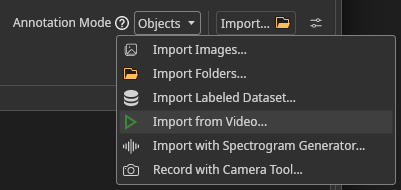
To help you with creating your own dataset, it is now possible to import a video file directly from your project.
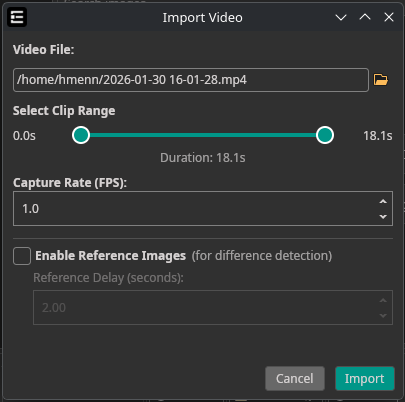
Simply select Import Video from the Import Button in your Dataset Tab.
This wraps up some of the biggest changes from the past month — but there's much more to explore. If you've used One AI before, give it another try to see what's new. If you haven't yet, there's never been a better time to get started!
Upcoming Release: OneWare Studio 1.0
OneWare Studio will receive a major update with a cleaned-up architecture that enables easier plugin integration and advanced features.
We're getting ready for the "Vibe Coding" future 👀
Alongside our planned release of a One AI Chat Assistant, you'll be able to use GitHub Copilot as a helpful aid when implementing the remaining pieces to get your AI running on any hardware.
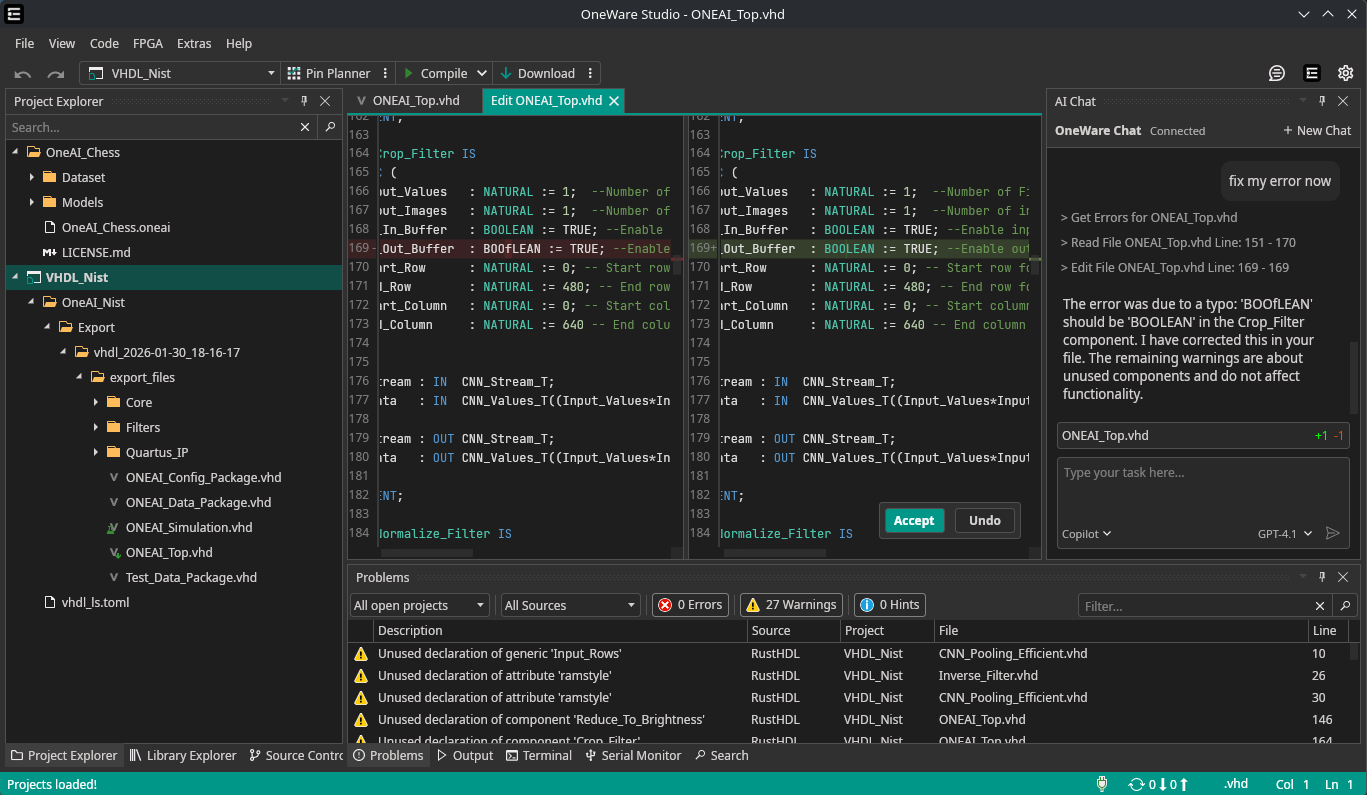
... or you can just have fun with C++
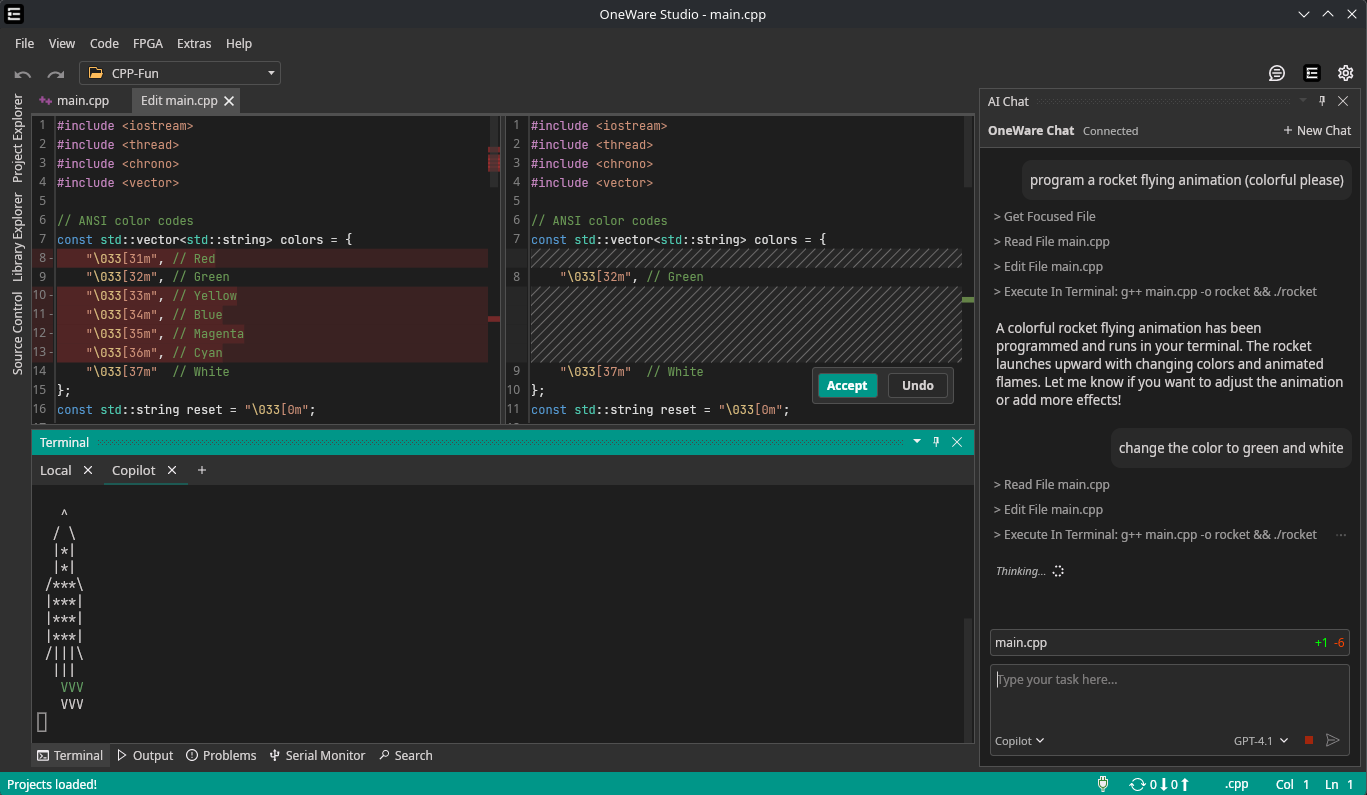
I'll showcase this feature in more detail in the next post. We plan to release OneWare Studio 1.0 in February 2026.
Here is a one-time code for 1000 additional credits:
i-love-oneai
It will be redeemable here for the next 30 days.
Enjoy and stay tuned for the next update!