Quick Start Guide
Onboarding mit unseren Experten
Kostenlose Onboarding-Session buchen
Erhalten Sie geführte Unterstützung für Ihr erstes Vision-AI-Projekt und kommen Sie schneller zu einem produktionsreifen Setup.
Why ONE AI?
With ONE AI, anyone can create custom AI models in minutes without AI expertise. Train powerful models on our cloud servers, then deploy lightweight, optimized models that run efficiently on any device — even resource-limited microcontrollers.
Prerequisites
Before continuing, make sure you have completed the Setup Software guide:
- ONE WARE Studio installed
- ONE AI Extension installed
- ONE WARE Cloud account created and connected
Open a Quick Start project
The fastest way to get started is with one of our ready-to-use Quick Start projects. Open the Quick Start page in ONE WARE Cloud to browse all available projects — each one comes with a pre-configured dataset, settings, and labels.
Click Open in OneWare Studio on any project to automatically download and open it in ONE WARE Studio.
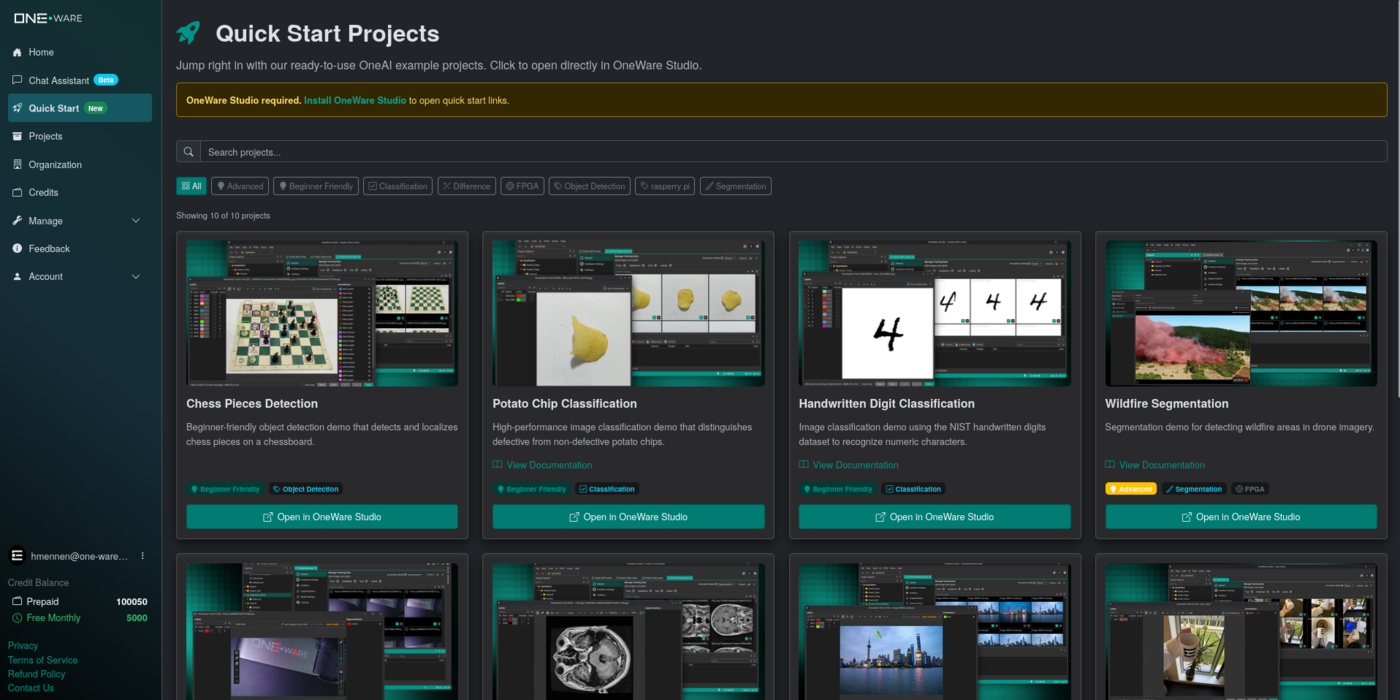
If you're looking for more advanced examples with step-by-step tutorials, check out our Demo Projects.
Start training
Since the Quick Start project comes pre-configured with a dataset and settings, you can start training right away.
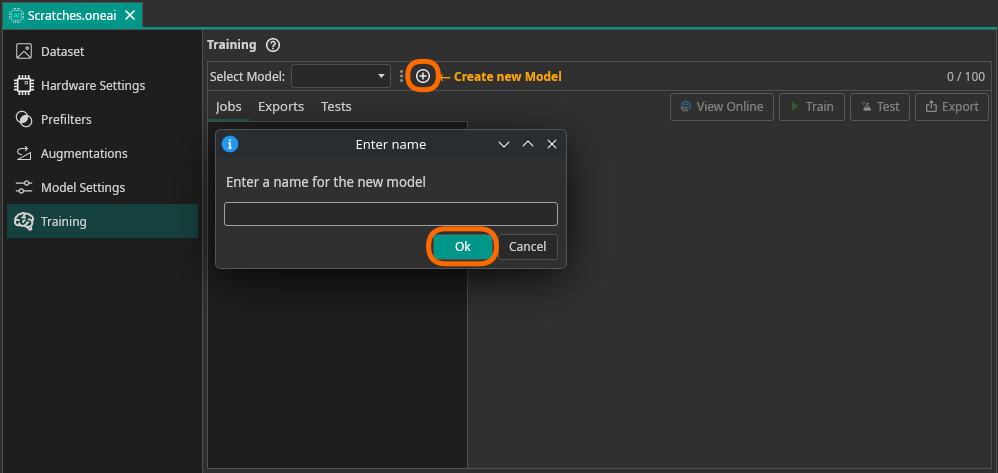
- Go to the Training tab and click Create Model. Give your model a name and confirm.
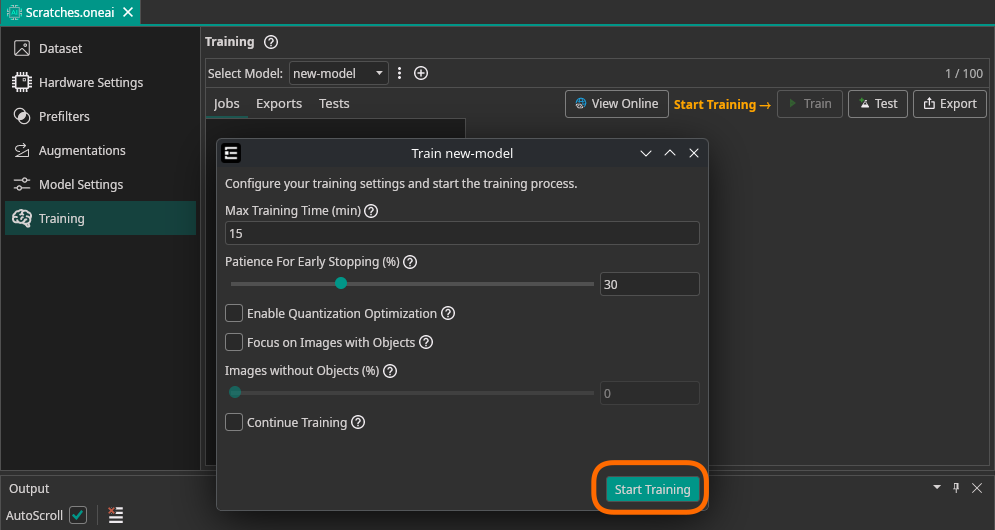
- Click Start Training. For these simple demo projects, 2 minutes of training time is enough. The other settings can be left at their default values.
Where to go from here?
We have several different guides and tutorials to help you get started with ONE AI:
Need Help? We're Here for You!
Christopher from our development team is ready to help with any questions about ONE AI usage, troubleshooting, or optimization. Don't hesitate to reach out!