Tracking Persons on Raspberry Pi 5
To try the AI, simply click on the Try Demo button below. If you don't have an account yet, you will be prompted to sign up. Afterwards, the quick start projects overview will open where you can select the Tennis. After installing ONE WARE Studio, th project will open automatically.
About this demo
This demo evaluates person segmentation in a controlled indoor environment on a Raspberry Pi 5 with CPU-only inference.
The setup uses 640 × 360 resolution and a single-thread runtime to represent real edge deployment conditions where segmentation is only one of multiple workloads.
For this prototype, 43 labeled frames were used (21 training, 11 validation, 11 test), with multiple persons per image.
Comparison: UNet vs DeepLabv3+ vs Custom CNN
To evaluate deployment feasibility, we compared classical segmentation baselines with a task-specific model generated by ONE AI.
The Challenge with Universal Models
UNet produced strong mask quality, but reached only 0.09 FPS on CPU (single thread), making real-time usage impractical.
DeepLabv3+ (MobileNet backbone) improved speed to 1.5 FPS, but masks became coarser and less stable around person boundaries.
The Solution with ONE AI
Using ONE AI, we generated a custom CNN optimized for this exact use case: single-class person segmentation, fixed environment, and edge CPU inference.
The resulting architecture has only ~57,000 parameters and reaches ~30 FPS on CPU while keeping segmentation quality comparable to the stronger baseline in this setup.
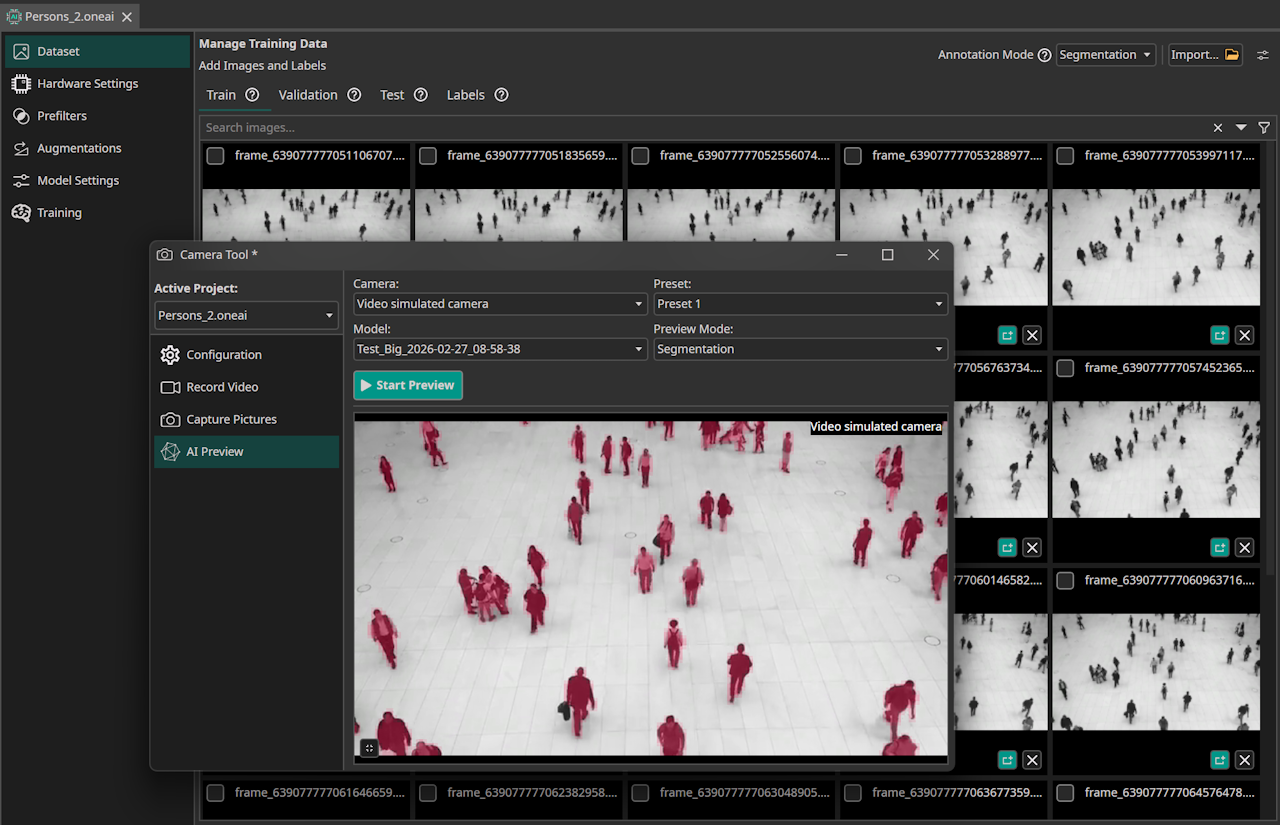
Segmentation result with ONE AI.
Results
| Metric | UNet | DeepLabv3+ | ONE AI (Custom CNN) |
|---|---|---|---|
| Parameters | 31M | 7M | 0.057M |
| Speed (CPU, 1 Thread) | 0.09 FPS | 1.5 FPS | 30 FPS |
| Segmentation Quality | High | Moderate | High |
| Edge Deployment Feasible | ❌ | ⚠️ | ✅ |
Model Configuration

The model visualization shows the compact architecture used for this person segmentation pipeline.
The following ONE AI plugin settings were used for this controlled person-tracking scenario.
Segmentation Labeling (SAM3)
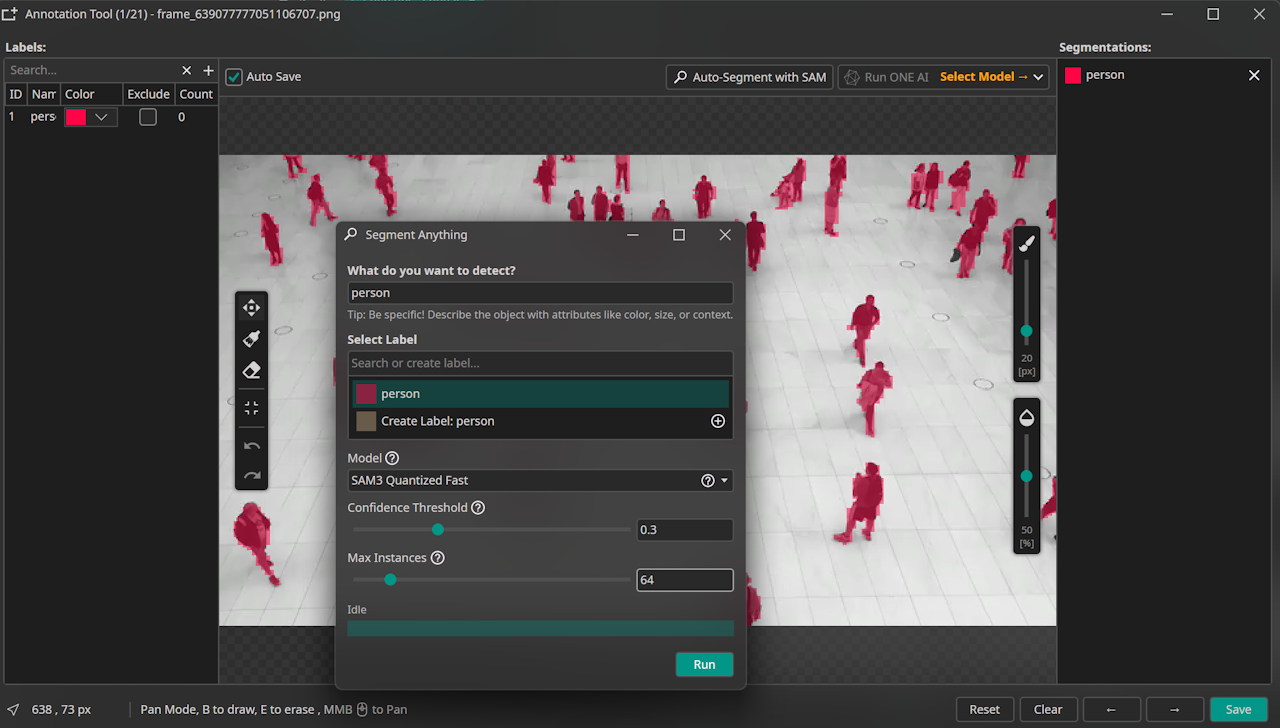
The segmentation labels were created directly in the ONE AI Extension using the integrated SAM3 workflow.
Data Processing
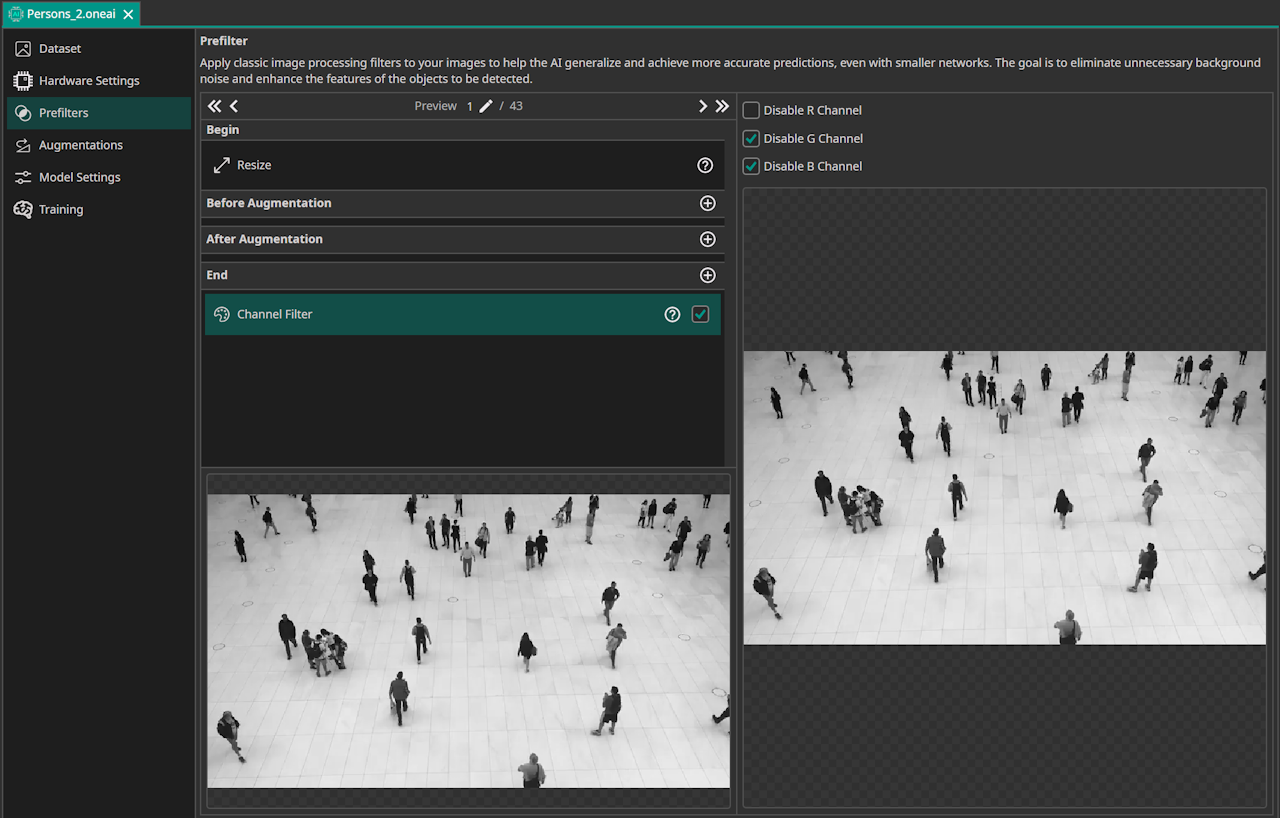
Because the source video is grayscale, the G and B channels were disabled to keep preprocessing aligned with the actual signal.
Model Settings
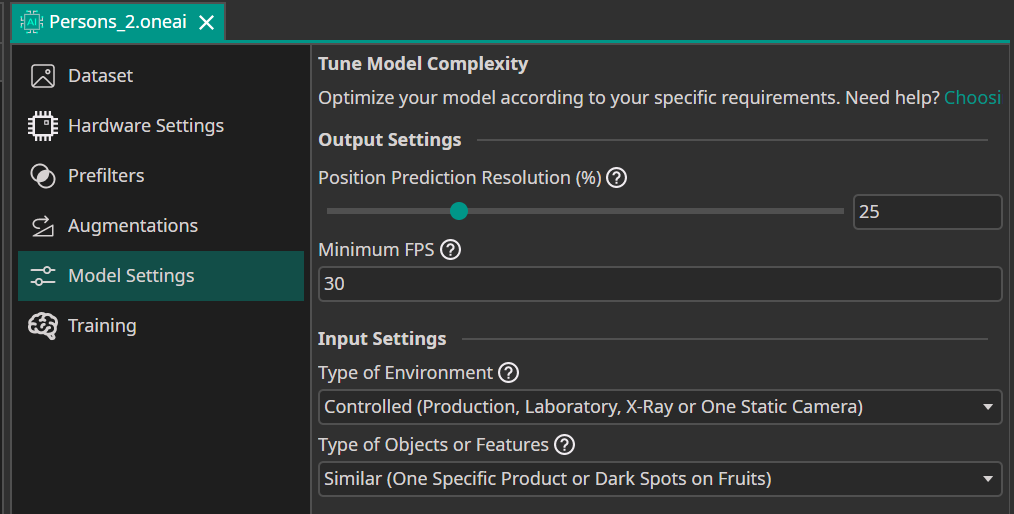
This setup targets a controlled environment with a defined observation region, and the objects are similar because only humans are segmented.
For deployment, the camera target is 30 FPS, and segmentation resolution was set to 25% because SAM3 already segmented almost as if not using full resolution.
If needed, segmentation resolution can be set to 100% for potentially pixel-accurate masks.

Need Help? We're Here for You!
Christopher from our development team is ready to help with any questions about ONE AI usage, troubleshooting, or optimization. Don't hesitate to reach out!