Lemon Detection Demo
To try the AI, simply click on the Try Demo button below. If you do not have an account yet, you will be prompted to sign up. Afterwards, the quick start projects overview will open where you can select the Lemon Detection project. After installing ONE WARE Studio, the demo project will open automatically.
About this demo
This demo shows how to detect ripe and unripe lemons in a controlled production setup using a dataset generated from a single short smartphone video.
The goal is to demonstrate how quickly a practical object detection pipeline can be built with ONE AI even when the initial dataset is small and captured under simple real-world conditions.
The setup is intentionally compact:
- a short handheld video of lemons on a conveyor-like scene
- frame extraction to build the dataset
- early labeling of only part of the data
- pre-labeling of the remaining frames with an intermediate model
- final comparison against a lightweight YOLO baseline
Why this use case matters
Fruit inspection is a good example of a task that looks simple at first, but becomes challenging in production:
- lemons can vary in shape, size, and surface texture
- color differences between ripe and unripe fruit can be subtle
- partial occlusion and overlaps occur naturally in conveyor scenes
- lighting changes can affect perceived color and edge contrast
ONE AI is well suited for this kind of scenario because it creates a model specifically for the exact dataset, task, and deployment environment instead of relying on a universal architecture by default.
Dataset creation and labeling workflow
The dataset for this demo was created from a single short smartphone video. Instead of manually photographing and labeling every scene, frames were extracted and imported into ONE WARE Studio.
This makes the workflow fast and realistic for industrial pilots where teams often want to validate an idea before investing heavily in data collection.
Step 1: Initial labeling
Only a smaller subset of frames needs to be labeled first. These initial labels are enough to train a first model that already understands the scene reasonably well.
Early annotation workflow in ONE WARE Studio.
Step 2: Pre-label the remaining frames
After the first model is trained, it can be used to pre-label the rest of the dataset. This dramatically reduces the amount of repetitive manual work.
The result is a much faster annotation loop:
- label a small seed set
- train an initial model
- let the model pre-label the remaining images
- correct only the imperfect predictions
This is one of the most practical advantages of ONE AI for small industrial teams.
Model generation with ONE AI
With the data prepared, ONE AI automatically generates a detection model tailored to the task.
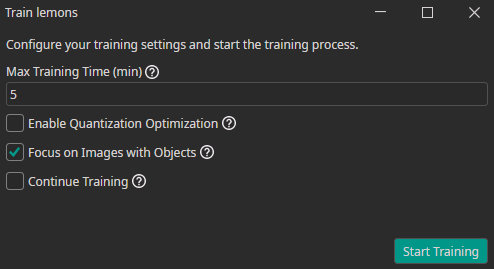
Training the lemon detection model in ONE AI.
Because the environment is fairly controlled and the object classes are well defined, ONE AI can produce a compact model that focuses on exactly the relevant features for this use case.
Comparison against YOLO
This demo also compares the final ONE AI model against a lightweight YOLO baseline.
The challenge with a universal model
A general-purpose model like YOLO is designed to work across many datasets and scenarios. That flexibility is useful, but it can also mean:
- unnecessary model complexity for a narrow task
- more tuning effort
- less stable behavior on a very specific production scene
The advantage of ONE AI
ONE AI instead generates a model specialized for:
- the exact camera view
- the exact object classes
- the available training data
- the intended deployment constraints
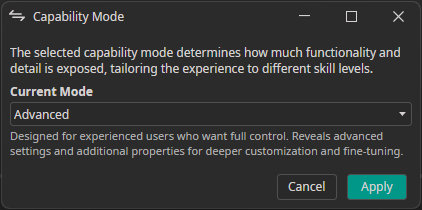
Capability comparison between a generic baseline and the generated ONE AI model.
This makes it easier to achieve reliable results quickly without spending weeks on architecture selection and optimization.
Detection result
The final detector is able to separate ripe and unripe lemons directly in the live scene.
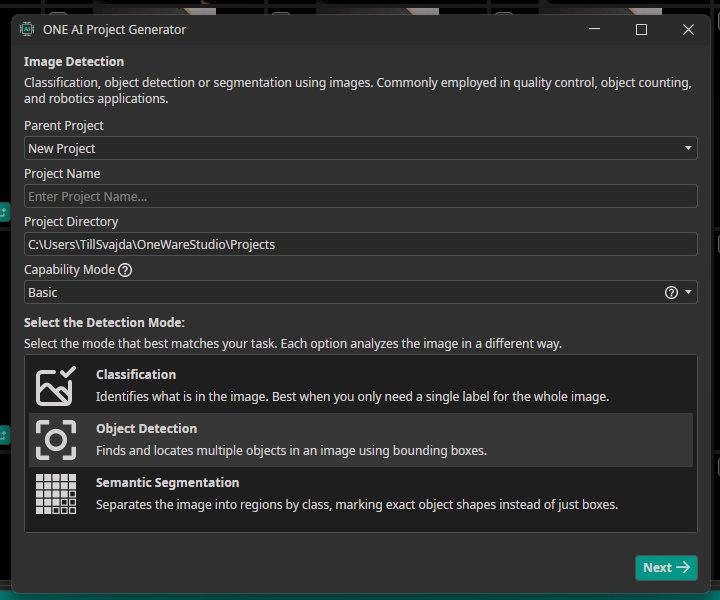
Detection output for ripe and unripe lemons.
This is a strong example of how a simple captured video can be turned into a production-oriented AI prototype in a short time.
Key takeaway
The Lemon Detection Demo highlights three core strengths of ONE AI:
- rapid dataset creation from raw video
- much faster annotation through pre-labeling
- custom model generation for a narrow, practical deployment scenario
For teams working on quality control, food sorting, or other visual inspection workflows, this is often the fastest path from idea to a useful first system.

Need Help? We're Here for You!
Christopher from our development team is ready to help with any questions about ONE AI usage, troubleshooting, or optimization. Don't hesitate to reach out!