Using your own ONE AI model
Using Your Own ONE AI Model
Auto labeling works for all three annotation modes:
| Mode | Output |
|---|---|
| Classification | Predicted class labels |
| Object Detection | Predicted bounding boxes with class labels |
| Segmentation | Predicted pixel masks per class |
Requirements: An exported ONNX model (downloaded via the Exports tab).
Workflow:
- Open the Dataset tab → click an image to open the annotation tool
- Click the arrow in the top-right corner → select your ONNX model → click +
- Configure Minimum Confidence threshold for predictions
- Click the AI button to apply predictions to the current image
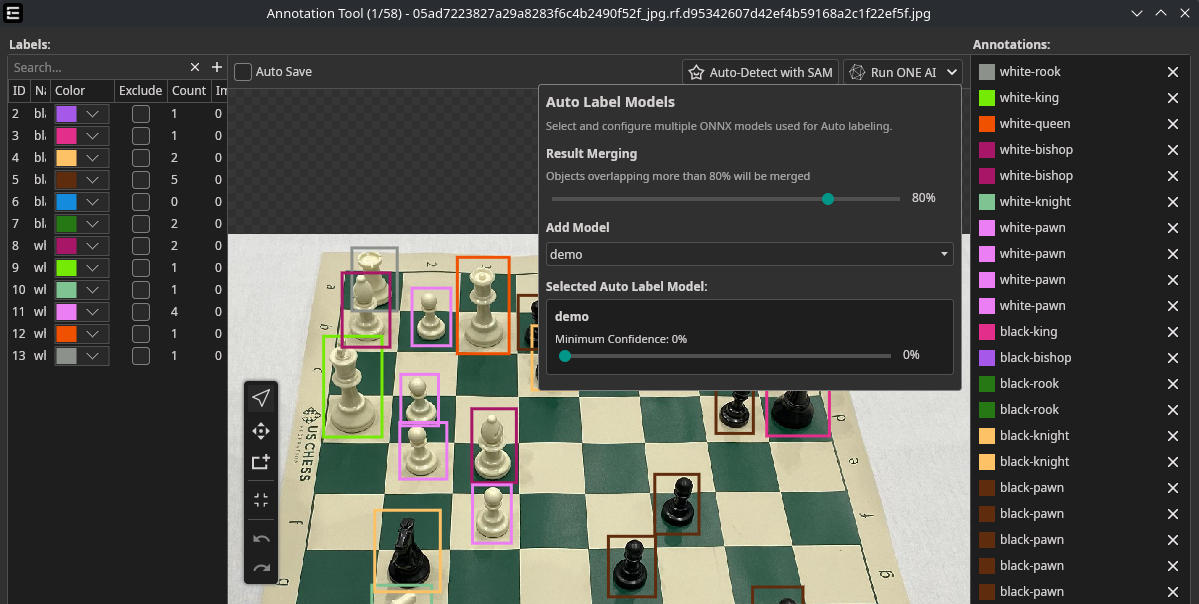
For object detection, an IoU merge threshold prevents duplicate detections when using multiple models. For segmentation, results from multiple models are automatically fused.
Predictions can be discarded with the Reset button or manually corrected.