Hardware preconfiguration
Preconfigured hardware profiles contain the resource specifications of a specific target device, so ONE AI can optimize your model for it without you entering any values manually. The profiles are provided as extensions and are installed through the Extension Manager.
Installing hardware extensions
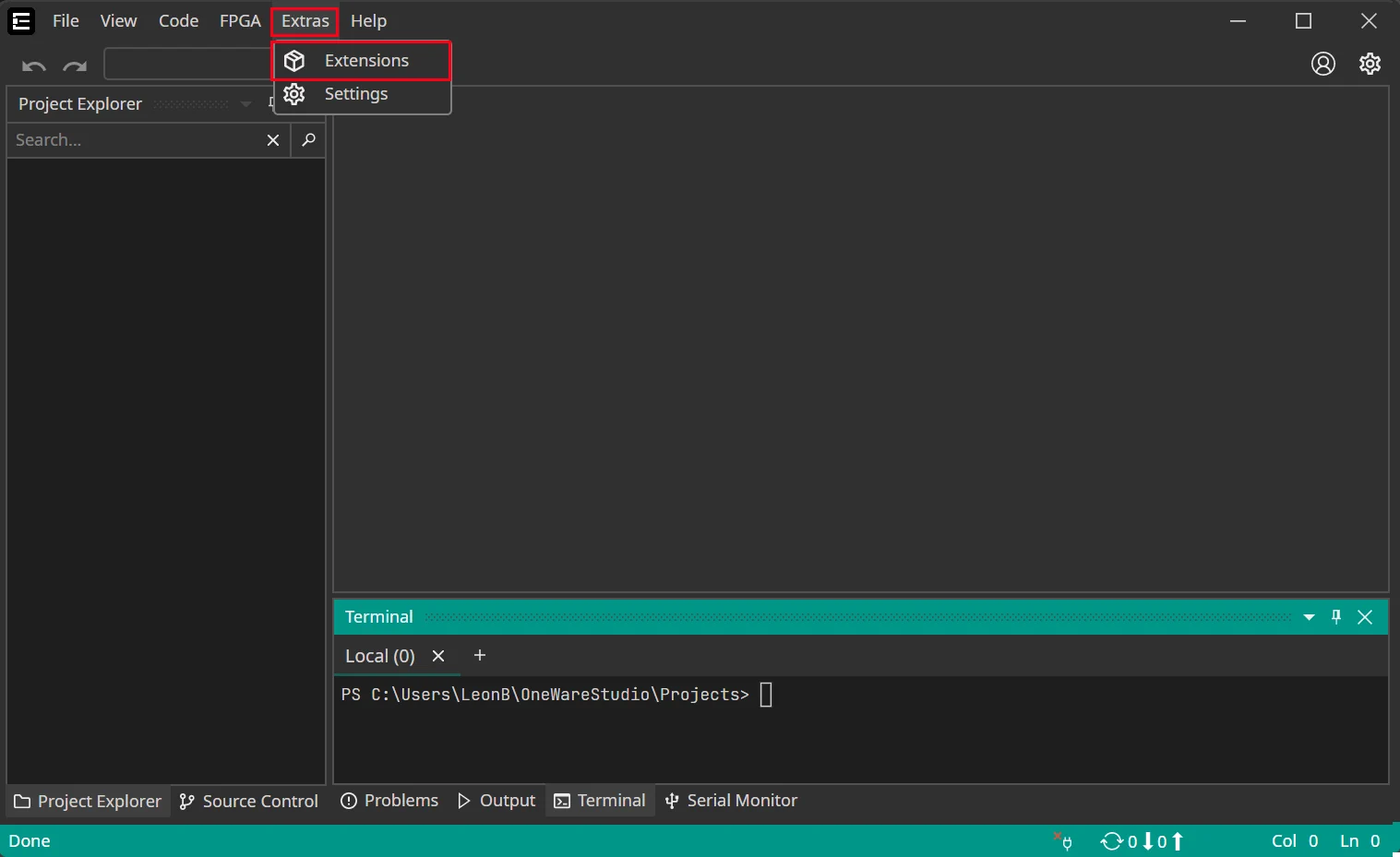
You can install extensions for preconfigured hardware profiles. To do so, open the Extension Manager by clicking on Extras > Extensions.
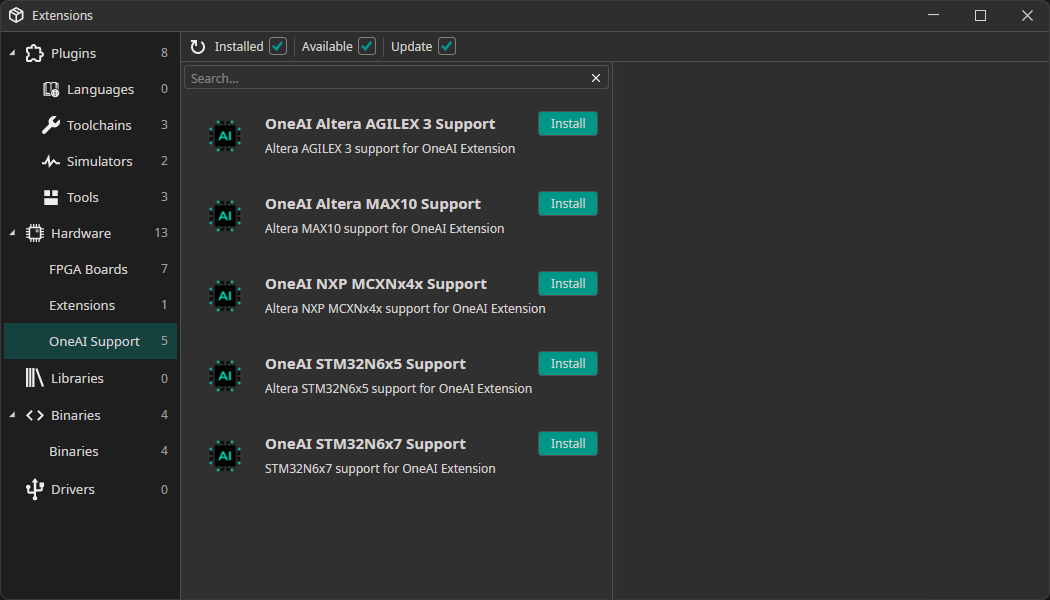
Here you need to go to the section Hardware > OneAI Support, where you can install extensions for different pieces of hardware. If there is no extension for the hardware that you are using, you can contact us at info@one-ware.com, so we know which hardware to add next.
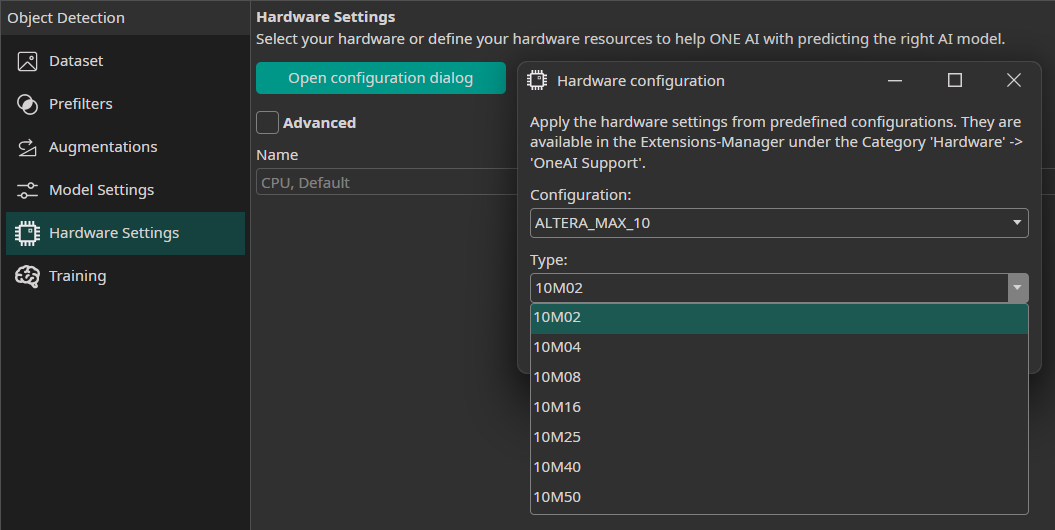
Selecting a preconfigured hardware
To select a preconfigured hardware, you need to click on the button Open configuration dialog and choose the hardware configuration that you want to use. Some pieces of hardware are available with different configurations, which can be selected with the second dropdown menu. For example, there are different versions of the Altera™ Max® 10 with differing amounts of DSP blocks and memory.