Packaging Control
Detecting Cuts in Quark Lids
Introduction
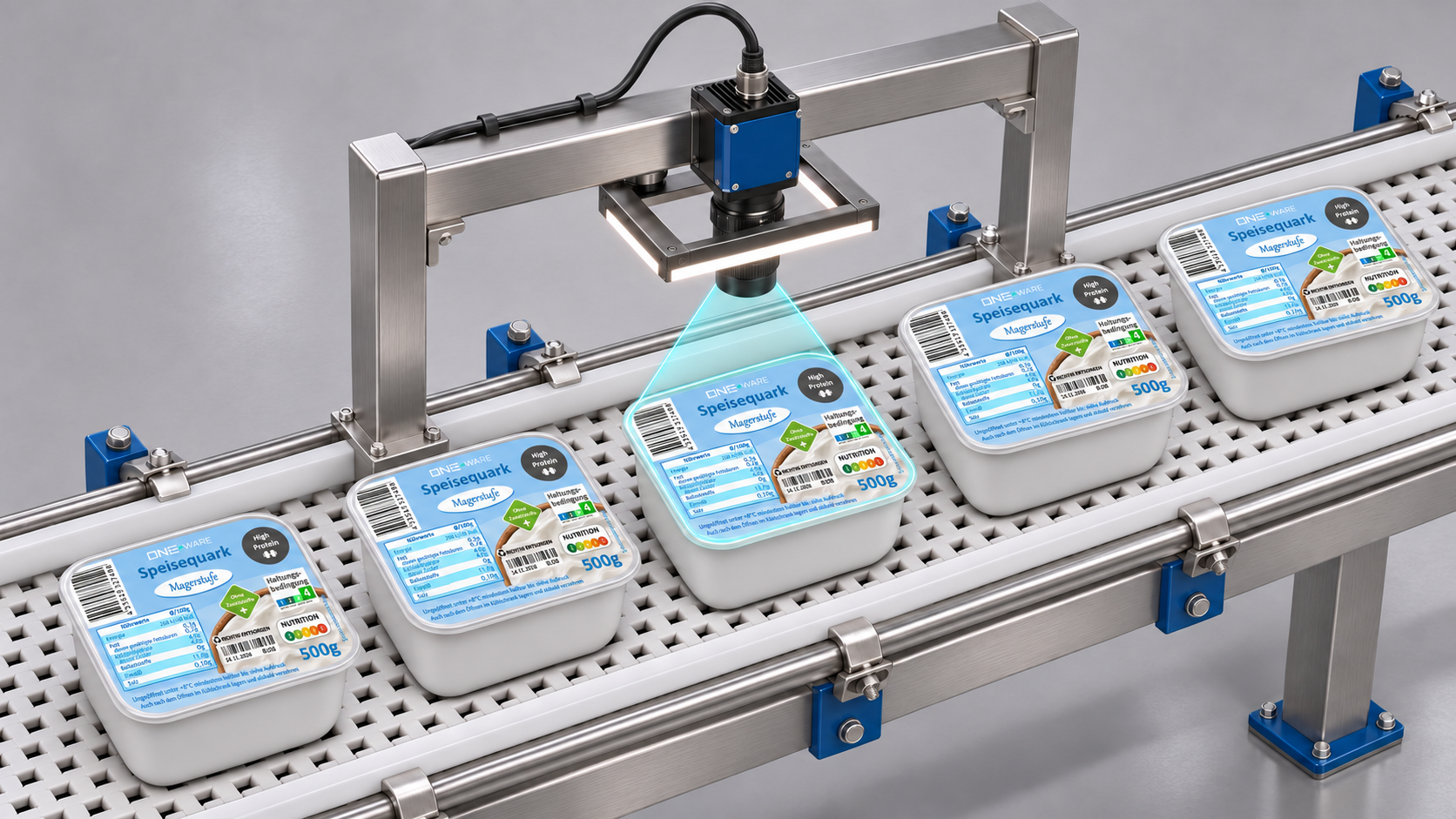
This demo shows an end-of-line quality control scenario in food packaging. Quark cups move along a conveyor belt and pass under an industrial camera with ring light. For every package, the AI inspects the sealed lid and segments cuts in the foil.
A cut in the lid breaks the seal of the package. Even a small cut can lead to contamination, leaking product and a shorter shelf life, so damaged packages must be sorted out reliably before they leave the production line.
Detecting cuts on printed packaging is challenging because the defects are:
- thin and narrow compared to the full label
- placed anywhere on the lid, with random length and orientation
- easily confused with printed lines, text, barcodes and graphics on the label
- affected by reflections on the glossy foil
Workflow
Instead of sending the full camera frame into one large model, the inspection is split into two small, task-specific ONE AI models. The first one finds the label, the second one looks for defects on it:
Crop the captured camera frame to the part of the conveyor belt where the package stops.
A small ONE AI segmentation model, trained on just a few images, finds the label. See Location Detection.
Cut out the label and resize it to the input size of the defect model, in our case 600 × 400 pixels.
A second ONE AI segmentation model, trained on labeled cuts, marks every defect on the label. See Defect Detection.
Splitting the task keeps both models small and fast: the location model only has to find a large, clearly visible label, and the defect model always sees the label at the same position and size, so it can fully focus on the fine cuts.
Dataset
The demo uses two datasets: camera frames of the conveyor belt for the location detection, and images of the lids for the defect detection.
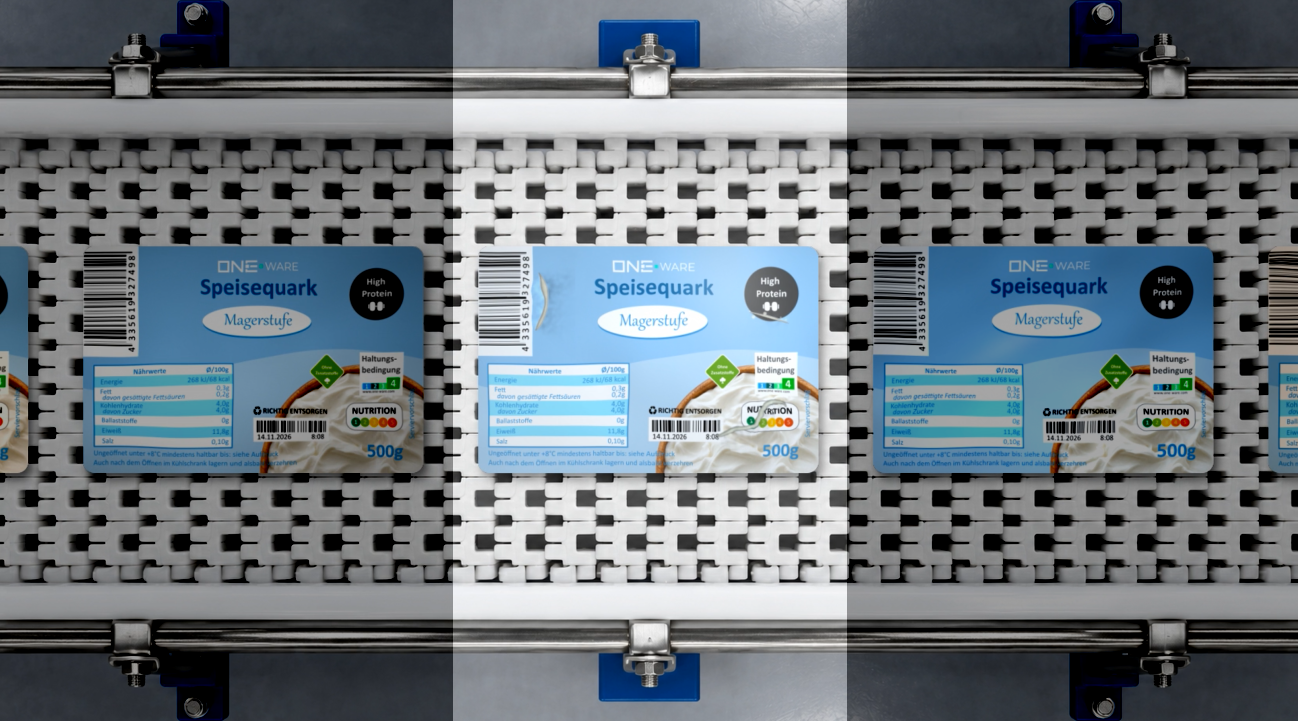
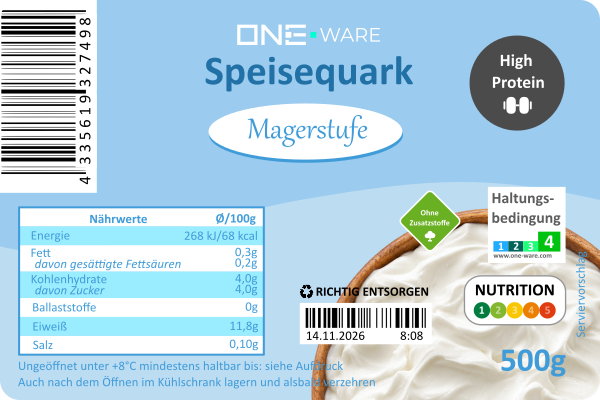
All packages share the same label design. The defect model learns what an intact lid looks like and highlights everything that does not belong there.
The defective samples show cuts of different length, position and orientation on the lid:
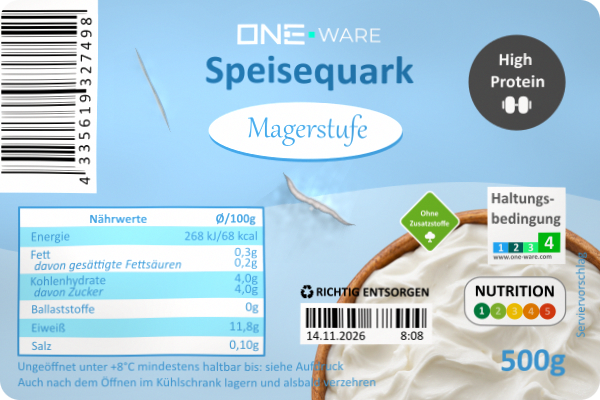
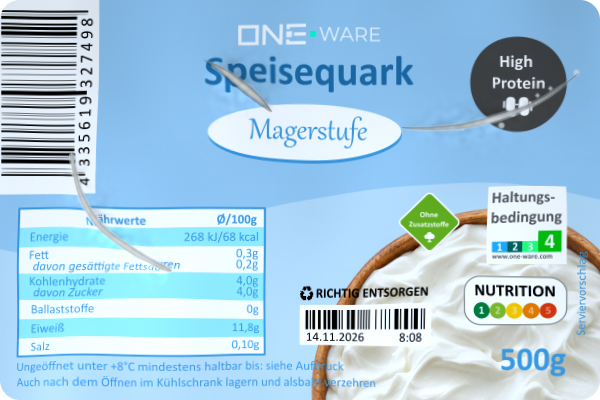
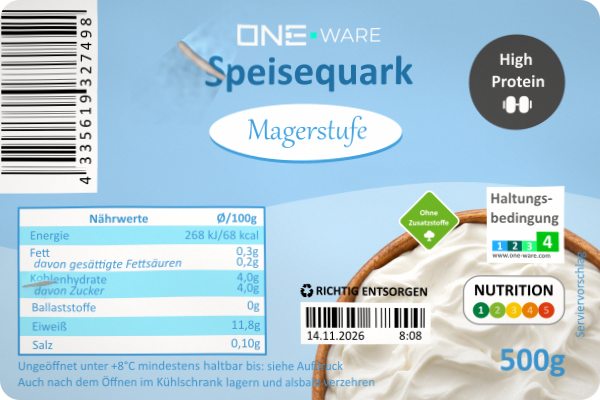
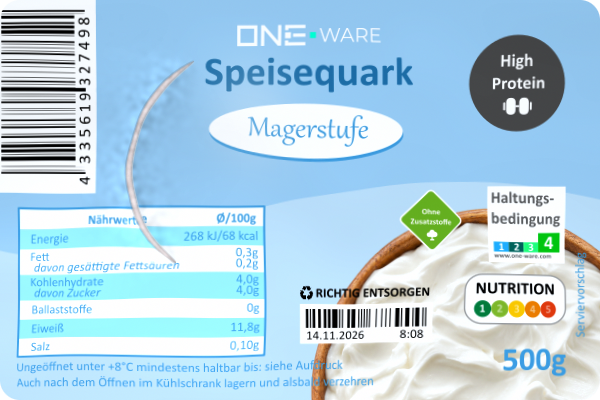
Examples of defective lids with cuts.
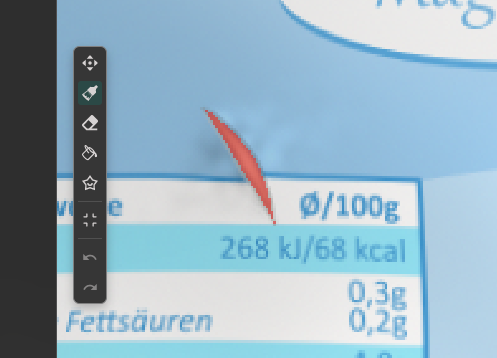
The cuts were labeled as segmentation masks in ONE WARE Studio. Segmentation is a good fit for this task because the exact shape and length of a cut matters, and a pixel mask can easily be turned into a pass/fail decision by checking the defect area.
Location Detection
The first model finds the label on the conveyor belt. Most of the camera frame shows the empty belt and the machine around it, so there is no need to send the full frame into the model. Only the area where the package stops under the camera is relevant.
Since the label always looks the same and only its position changes slightly, a few training images are enough. The natural variations (packages that stop a bit earlier or later, are slightly rotated or vary slightly in distance to the camera) are covered by augmentations instead of collecting more data.
Labeling
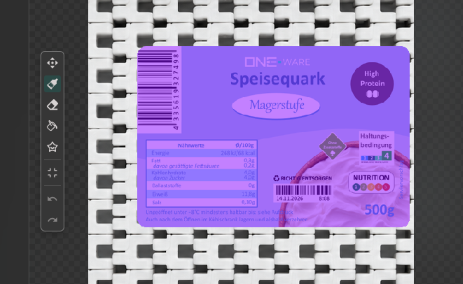
The location model is a Segmentation project in ONE WARE Studio. In each image, the whole label area of the lid is marked with a segmentation mask. For more details, see Create your ONE AI project.
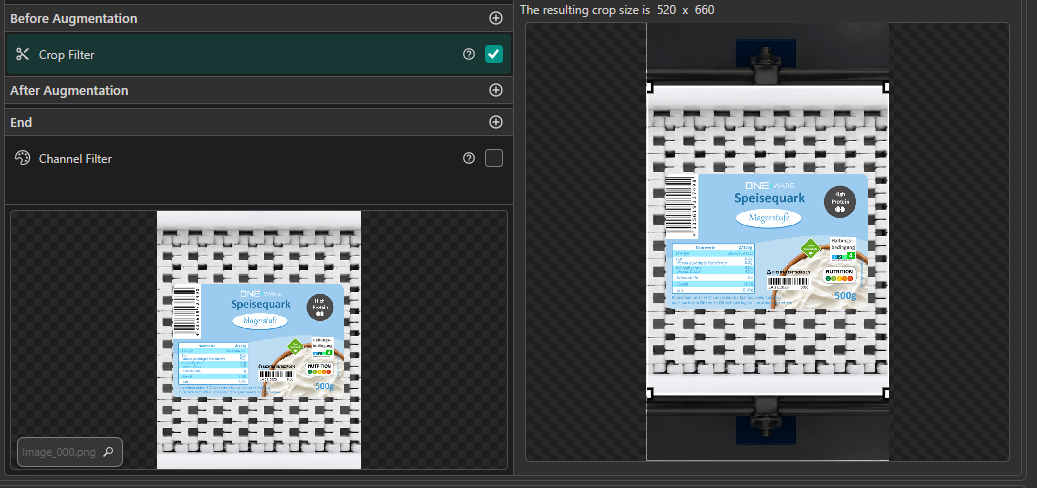
Crop Filter
A Crop Filter limits the input to the part of the belt where the package stops. This removes the irrelevant background, reduces the input size and makes the model faster.
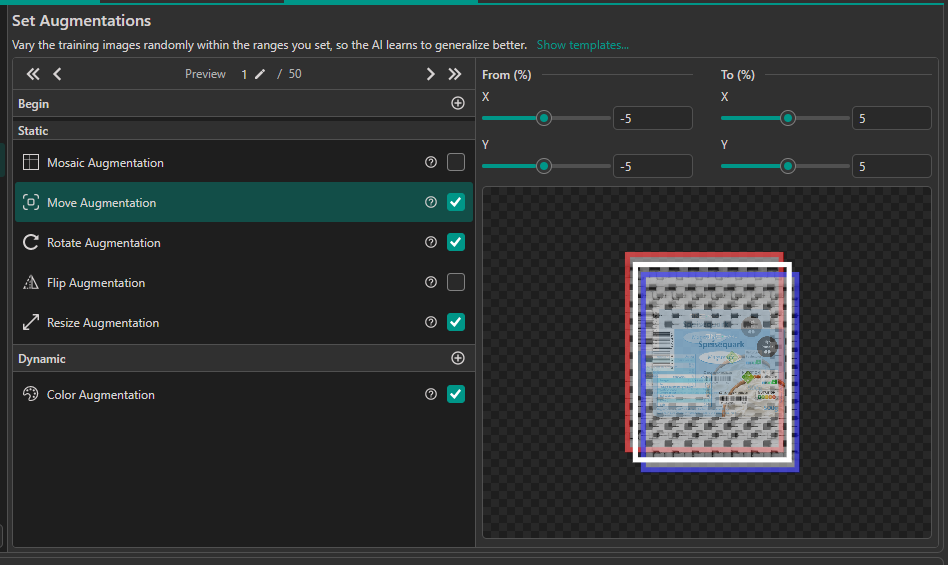
Augmentations
Move, Rotate and a small Resize augmentation are enabled. They simulate the different stop positions and orientations of the packages, so the model generalizes from only a few images.
Defect Detection
The second model receives the cropped label at 600 × 400 pixels and segments the cuts. Because the location model already aligns the label, the input is very consistent:
- The camera position, lighting and label design are always the same
- The cuts are local defects and don't need much context from the rest of the image
- The model only has to separate cuts from the known label print
Data Processing
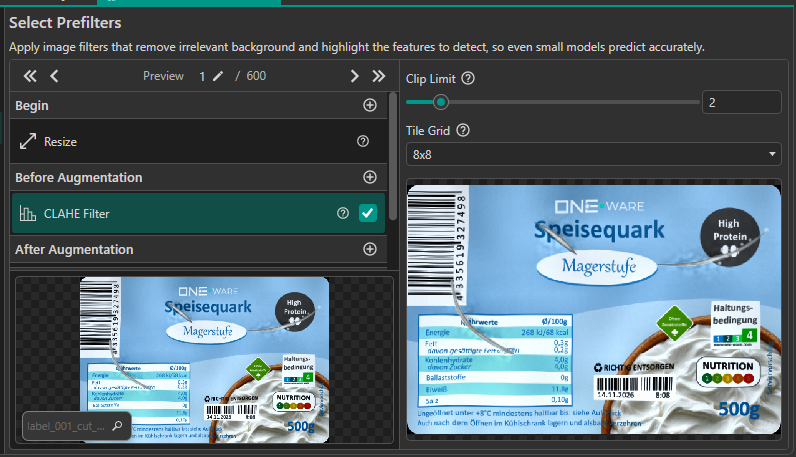
A CLAHE filter (Contrast Limited Adaptive Histogram Equalization) is applied before augmentation. It equalizes the contrast locally in small tiles, which compensates for uneven lighting across the label and makes the thin cuts stand out more clearly against the print. A clip limit of 2 and a tile grid of 8x8 enhance the cuts without amplifying noise too much.
The following augmentations add slight placement variation without breaking the segmentation masks:
| Augmentation | Setting | Why |
|---|---|---|
| Move | ±5 % | Covers small offsets of the label after cropping |
| Rotate | ±1° | Covers slightly rotated packages |
| Resize | 95 % to 105 % | Covers small differences in label size |
The remaining processing settings are chosen with the small defects in mind:
- Color augmentation with mild ranges: covers small changes in lighting and print color without hiding the cuts.
- Resolution 100 %: the smallest cuts are only a few pixels wide, so lowering the resolution would make them disappear.
- No blur augmentation: a light blur usually helps generalization, but here the fine cuts are exactly what the model has to find, so blurring them would hurt.
Model Settings
| Setting | Value |
|---|---|
| Optimize Small Objects | On |
| Position Prediction Resolution | 50 % |
| Type of Environment | Controlled |
| Type of Objects or Features | Limited |
Optimize Small Objects helps with the thin cuts, and a Position Prediction Resolution of 50 % is still fine enough to outline them. The environment is controlled because camera, lighting and label never change, and the features are limited because cuts always look similar. See Output Settings and Input Settings for details.
Results
The video shows the complete pipeline running live on the conveyor belt. As soon as a package stops under the camera, the location model finds the label, the label is cut out and passed to the defect model, and the cuts are highlighted.
The defect model reliably segments the cuts on the lid while ignoring the printed text, barcode and graphics of the label. Because both models are small and task-specific, the inspection keeps up with the conveyor belt, and the predicted mask can directly be used to reject damaged packages.
More Possibilities with ONE AI
Cuts are only one of many defects that can be caught on the same line. With the same camera setup, ONE AI can generate additional task-specific models that check the print on every package:
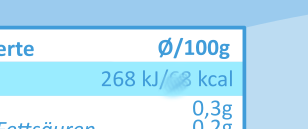
Text Inspection
Detect labels with missing, shifted or wrong text, for example when the wrong label roll was loaded. Smeared, faded or blurred print caused by worn print heads, ink problems or moisture is caught as well, so only packages with correct and clean print leave the line.
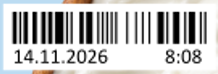
Best Before Date
Check that the best before date is printed on every package and that it is valid, meaning it matches the expected best before date of the current batch. Packages with a missing or wrong date are rejected before they reach the customer.
Because ONE AI models are small and task-specific, these checks can run alongside the cut detection on the same edge hardware, so a single camera station can cover the complete visual inspection of the package. Learn more about comparing images to a reference in the Reference-Based Object Detection demo.

Need Help? We're Here for You!
Christopher from our development team is ready to help with any questions about ONE AI usage, troubleshooting, or optimization. Don't hesitate to reach out!