Annotation modes
The General tab contains the essential settings for your project. Configuring these first is recommended before moving on.
Label Modes
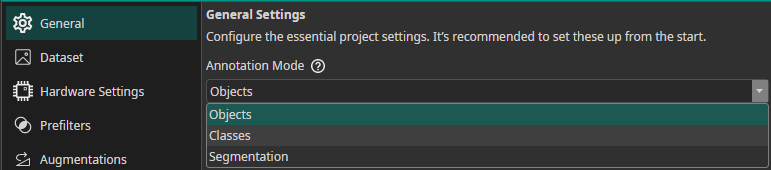
Choose a label mode based on your task:
| Mode | Annotation | Use Case |
|---|---|---|
| Classes | One or more class labels per image | Quality control, sorting, counting |
| Objects | Bounding boxes with class labels | Locating and identifying multiple objects |
| Segmentation | Pixel-precise masks per object | Surface defects, medical imaging, precise region delineation |
Converting Labels to Classification
Switching the label mode from Objects or Segmentation to Classes converts the dataset at training time (annotation files on disk are not modified). For finer control, keep the original label mode and select a Prediction Type or Segmentation Type in the Model Settings tab:
| Prediction Type | Behavior |
|---|---|
All Present Object-Classes | Selects all classes present in the image |
Class with Largest Combined Object Area | Selects the class with the largest total bounding box area |
Class with Most Objects | Selects the most frequently occurring class |
At Least One Object? (Y/N) | Binary: any object present or not |