Model Export
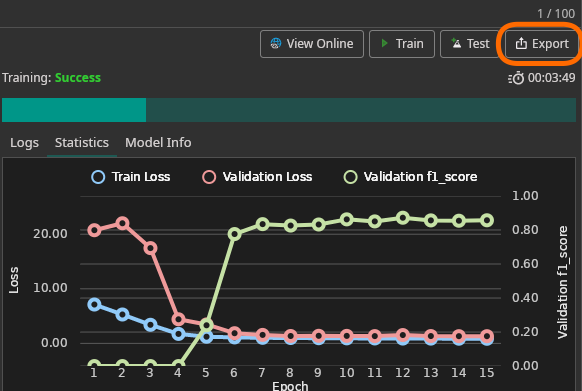
Click Export to open the export dialog. Models can be exported as standalone files or embedded in software projects.
Parameters
| Parameter | Description |
|---|---|
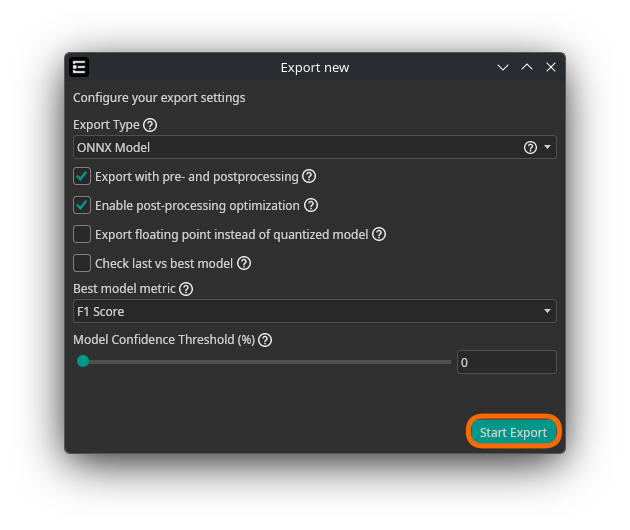
| Export Type | Format and packaging for the trained model (see Export Types below) |
| Target | Target platform — currently Linux x64. Only visible for Executable and C++ Project exports. |
| Export with pre- and postprocessing | Includes preprocessing and output formatting layers in the model. Simplifies integration and ensures consistent processing between training and inference. |
| Enable post-processing optimization (advanced) | Applies optimized post-processing to the exported model. Only available when pre/postprocessing is enabled. |
| Export floating point instead of quantized model (advanced) | Ignores quantization-aware training and exports the full-precision model. Larger and slower but may improve accuracy for certain tasks. |
| Check last vs best model (advanced) | Compares the latest checkpoint against the best validation checkpoint (with full post-processing including NMS) to determine which model delivers better practical results. |
| Best model metric (advanced) | Metric used for the last-vs-best comparison: mAP, F1 Score, Precision, or Recall. Only active when "Check last vs best model" is enabled. |
| Model Confidence Threshold (%) (advanced) | Confidence threshold for model predictions. For object detection, only objects above this threshold are returned. For classification, all classes above the threshold are predicted as present. Set to 0 to let ONE AI estimate a suitable threshold. Note: this threshold cannot be decreased after export. |
Export Types
| Export Type | Description |
|---|---|
| ONNX Model | Export in ONNX format for compatibility with various frameworks. Recommended for testing in ONE WARE Studio, Auto Labeling, and the Camera Tool. |
| TFLite Model | Export in TensorFlow Lite format, optimized for mobile and embedded devices. |
| TensorFlow Model | Export in standard TensorFlow SavedModel format for servers or desktops. |
| FPGA (VHDL) | Export as VHDL code for FPGA implementation. Experimental — currently only Classification is supported. |
| Executable | Export as a standalone executable file. Experimental — best for testing purposes. |
| C++ Project | Export as a C++ project that can be extended for custom integration. |
Downloading Exports
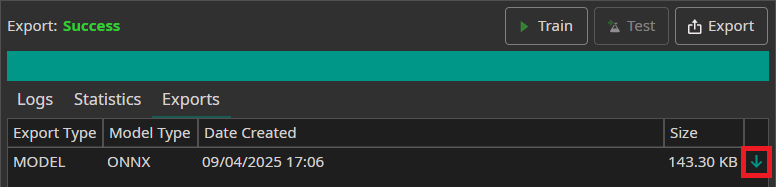
Completed exports appear in the Exports tab. Click the green arrow to download.